Persuasive Design: Balancing trust and engagement in the apps we use every day.
- Role
- Product Designer, UX Researcher
- Timeline
- 6 months
- Tools
- Figma, FigJam, Google Forms
- Type
- Academic research · ACM paper
Project at a glance
Problem
Apps across education, wellness, and shopping use psychological tactics to drive engagement — but most users have no idea why they feel nudged, guilty, or watched.
Solution
Mixed-methods research — survey (n=36), interviews, informed vs. uninformed focus groups, and usability testing on redesigned prototypes for Duolingo, a fitness app, and SHEIN.
Impact
Features built on transparency, control, and opt-in design scored 4.5–5.0 / 5.0 in usability testing. Ethical design doesn’t sacrifice effectiveness — it earns long-term trust.
- Survey participants
- 36
- Recognised persuasive features
- 91%
- Top scores for transparency + control
- 5/5
01 — The problem
Most users feel nudged. Almost none know why.
Reminders, streaks, countdown timers, scarcity warnings, gamification — persuasive design is in almost every app. It works. But effectiveness isn’t the question. The question is what happens to trust when users become aware of it.
RQ1
Awareness
Are users aware of nudges, streaks, and reminders?
RQ2
Trust
How does awareness affect trust and interaction?
RQ3
Transparency
Does transparency about intent increase or decrease trust?
RQ4
Autonomy
How do persuasive features affect perceived autonomy?
- Recognised specific persuasive features
- 91%
- Knew the term “persuasive design”
- 25%
They had the experience without the vocabulary — they felt something was happening, they just couldn’t name it.
02 — Research
Two phases: understand, then validate
Phase 1 — Understanding
Awareness · trust · autonomy- Survey (n=36)
- Semi-structured interviews with 10 participants
- Comparative focus groups on Duolingo, fitness apps, and SHEIN
Phase 2 — Validation
Design · test- 15 design guidelines from thematic analysis
- Redesigned prototypes for all three apps
- Usability testing with 5 participants (think-aloud)
The methodological innovation
Informed vs. uninformed focus groups. One group received a 10-minute primer on persuasive design; the other was told the study explored “experiences with digital apps.” Uninformed users called Duo’s reminders “funny, not helpful.” Informed users said “I’ll think consciously about them now” — same trust levels, but a different way of evaluating features.
03 — Findings
Seven themes — and one that surprised me
1
Control & agency
2
Design preferences
3
Personalisation & context
4
Awareness & literacy
5
Notification experience
6
Manipulation recognition
7
Trust & transparency
The control paradox
Participants said “I decide when I use the app” in the same breath as “I cannot stop myself from opening that message.” It isn’t hypocrisy — it’s a need to perceive control even when behaviour says otherwise. Most persuasive design exploits exactly that gap.
Alignment
Intent decides perception
Duolingo’s streak feels motivating; SHEIN’s countdown feels manipulative. Users judge whether app goals match theirs.
Awareness
Knowing isn’t enough
Users who understood the mechanics still felt the pull — understanding doesn’t override habit.
Framing
Whose benefit is centred
���This reminder helps you reach your goal” built trust. “This notification increases engagement” damaged it.
“I just turn notifications off.”
— P3 · on Duolingo “I cannot stop myself from opening that message.”
— P8 · on fitness apps “The “only 3 left” message is always there. It’s fake.”
— P9 · on SHEIN
04 — Design implications
Eight implications, all from what users said
01 · Notifications
Respectful, controllable notifications
Granular frequency, timing, and type — with “Why am I receiving this?” labels.
02 · Transparency
Communicate intent
Explain why features exist, framed around user goals. 89% said this would increase trust.
03 · Autonomy
Opt-in by design
Affirmative choice over forced opt-out; honour stated preferences.
04 · Personalisation
Personalise with context
Adapt to life circumstances without penalising users.
05 · Quality
Minimise clutter
Progressive disclosure, consolidated features, no decision overload.
06 · Ethics
Design for informed users
Assume awareness; optimise for wellbeing over engagement metrics.
07 · Streaks
Flexible tracking
Celebrate effort without penalising breaks for illness or travel.
08 · Decisions
Support deliberation
Cooling-off periods and no pressure tactics in high-stakes moments.
“Trust emerged as dependent not on the sophistication of persuasive techniques but on transparency, perceived intent alignment, and the degree of user control offered.”
— Key insight from the ACM paper
05 — Designs
Three apps redesigned, each solving a real friction point
- D01
Duolingo — onboarding
- Problem
- New users are dropped into a streak counter before completing a single lesson.
- Decision
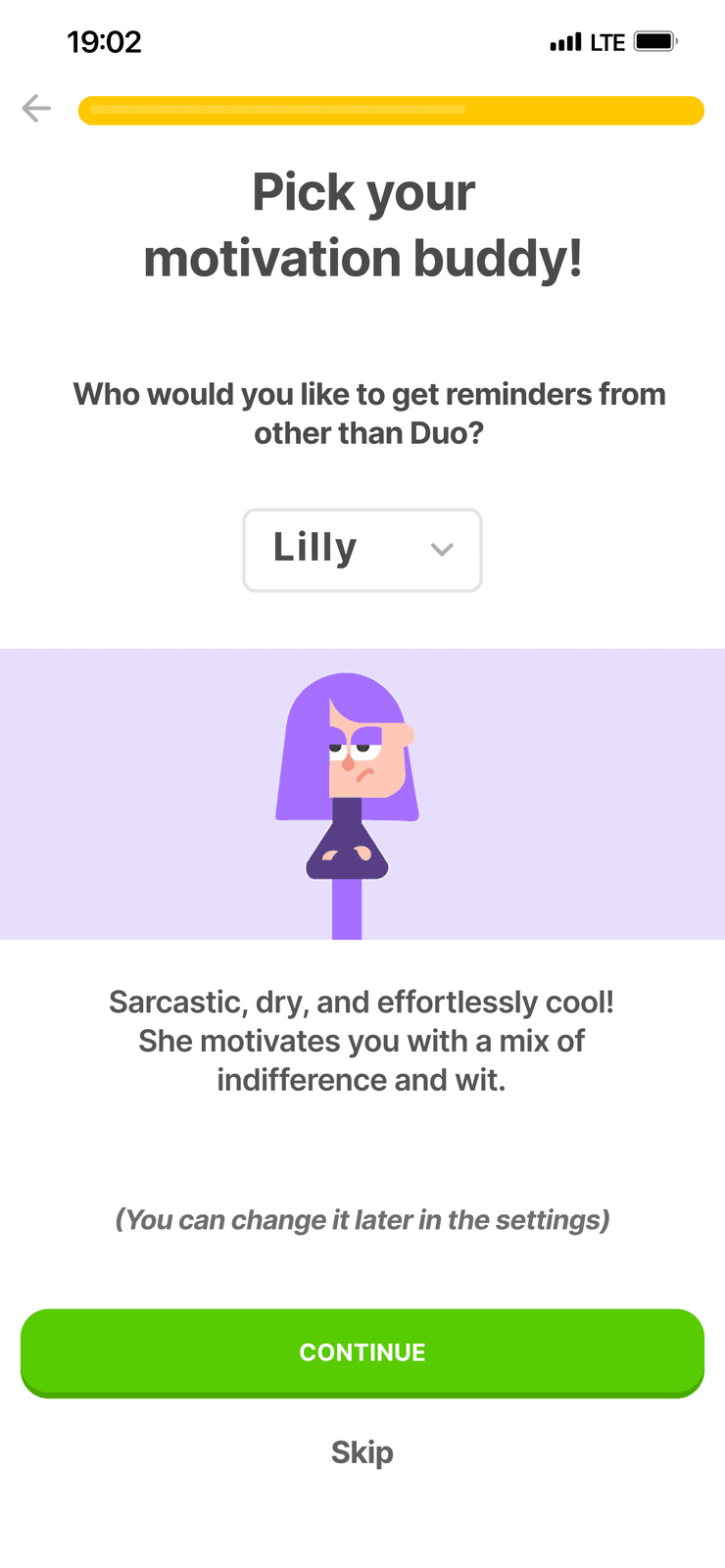
- A “You’re in Control!” screen to set reminder time, cap daily notifications, pick a motivation buddy, and choose streaks or learning progress as the metric.
- Why it matters
- Every screen says “You can change it later in settings” — control is real, not buried.
- D02
Fitness app — conceptual
- Problem
- Generic, context-blind reminders felt patronising and badly timed.
- Decision
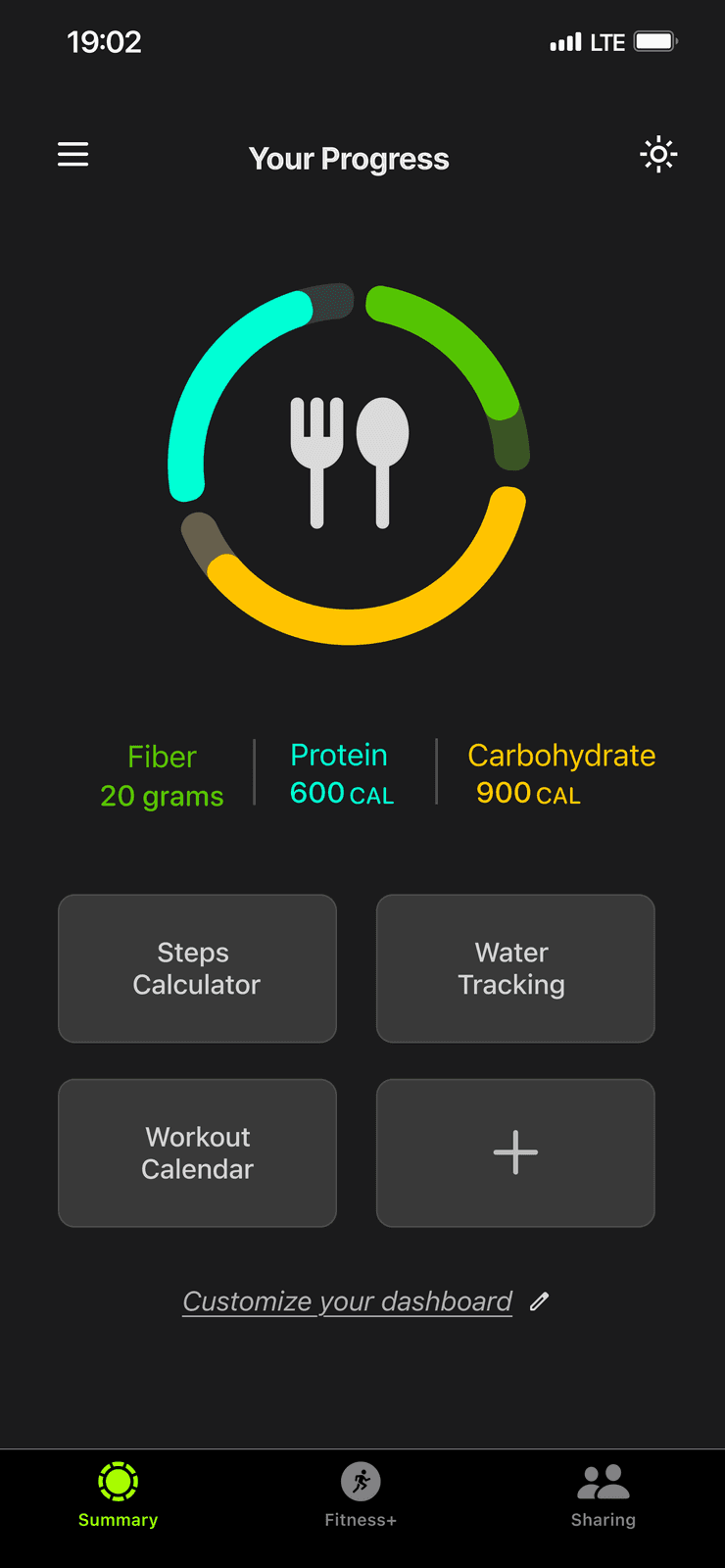
- A customisable dashboard, granular notification settings, “Notification Transparency,” and a context-aware lock-screen nudge at the user’s usual workout time.
- Why it matters
- Reminders read as suggestions, not obligations.
- D03
SHEIN — interface
- Problem
- Spin wheels, VIP pressure, and gamification packed into one cluttered profile.
- Decision
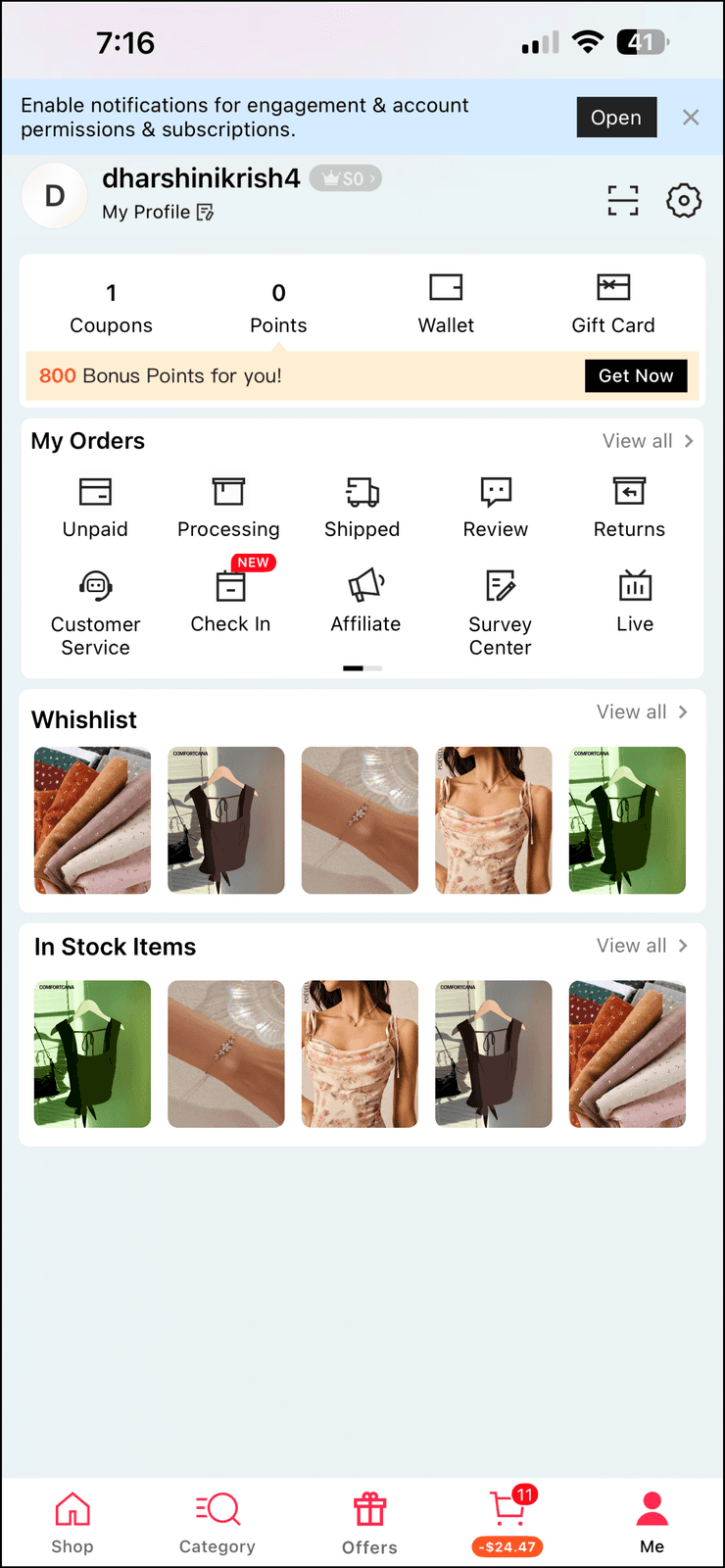
- A clean profile for orders and wishlists, a separate Offers page, promo vs. transactional alert settings, and “Add to Buy Later.”
- Why it matters
- “Buy Later” formalises what users already did — wait a few days before deciding.
Duolingo
Onboarding that hands control back to the learner.
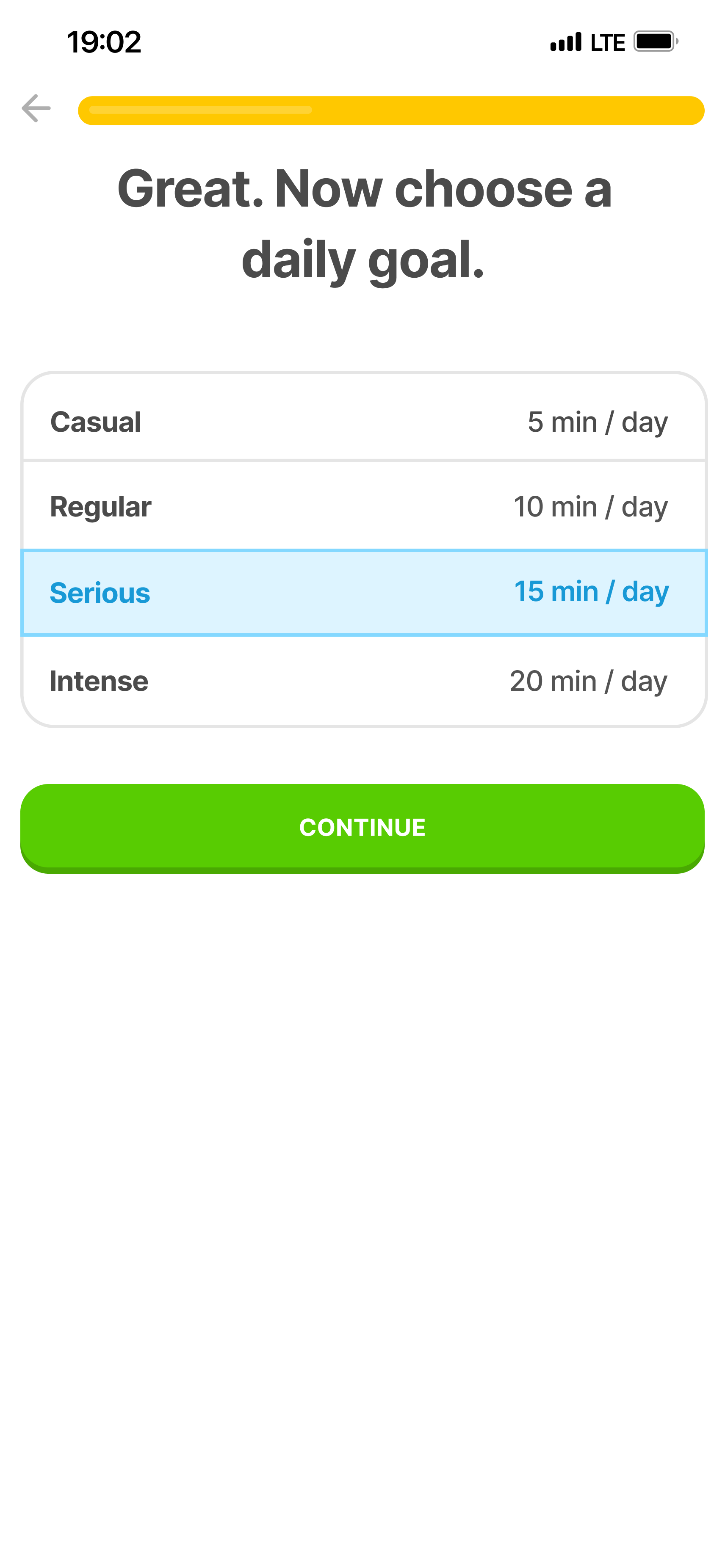
Choose a daily goal 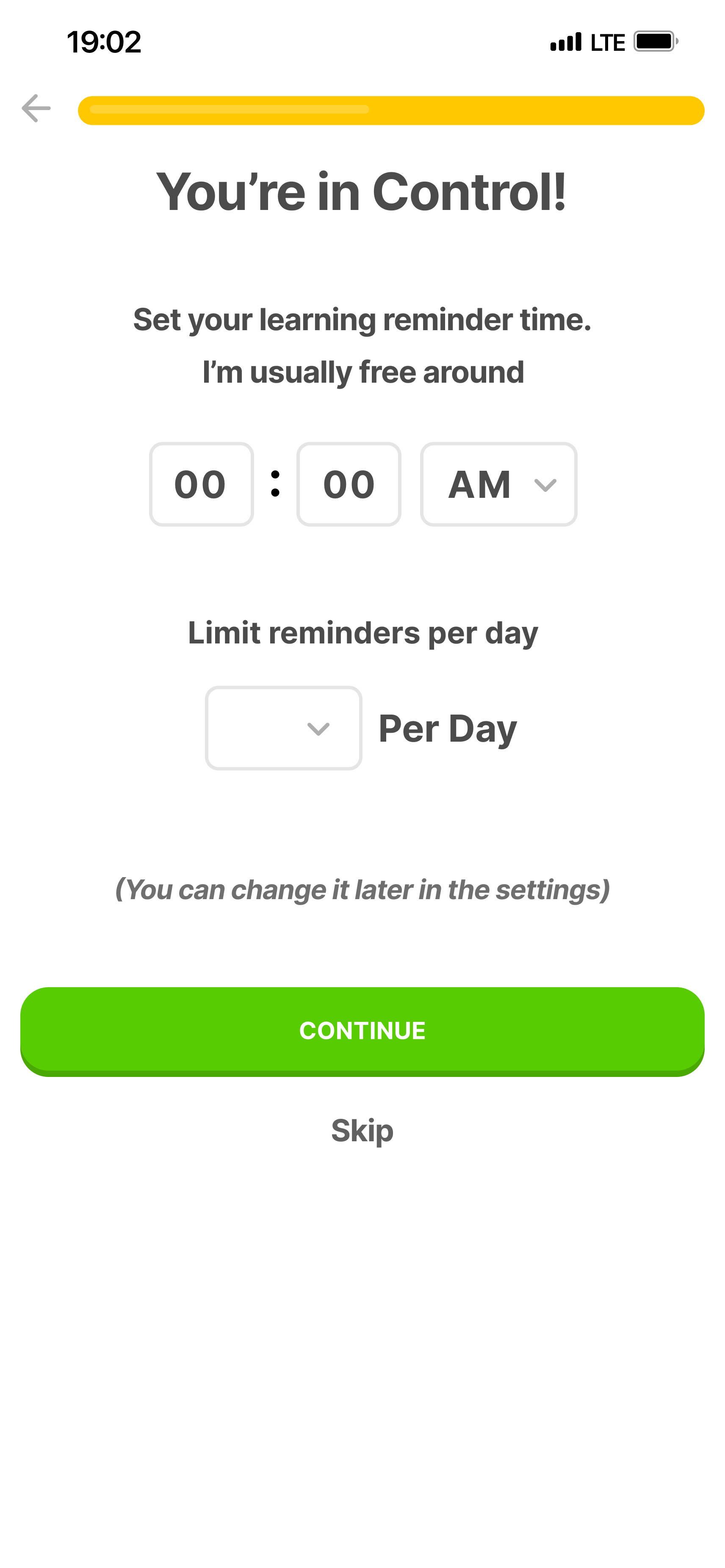
Set reminder time and daily limit 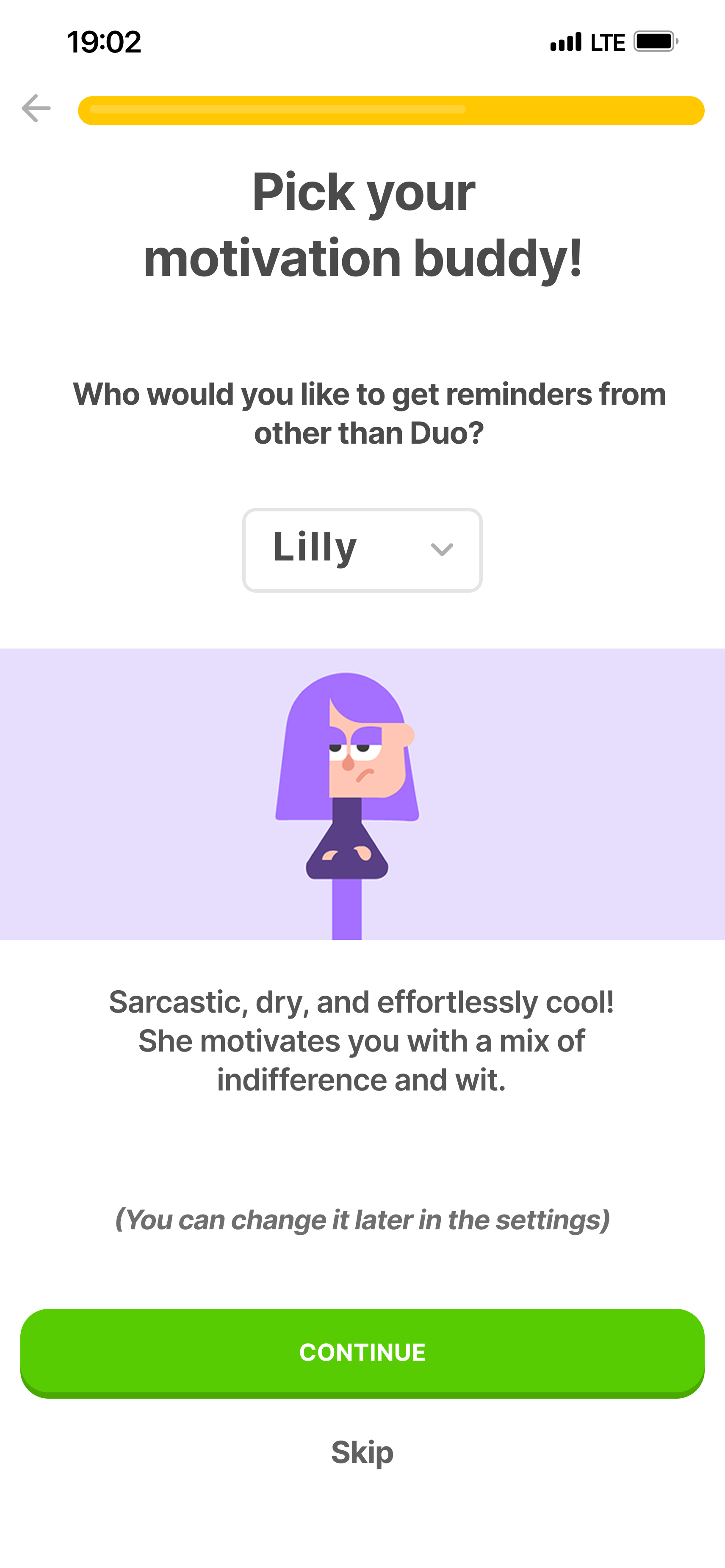
Pick a motivation buddy 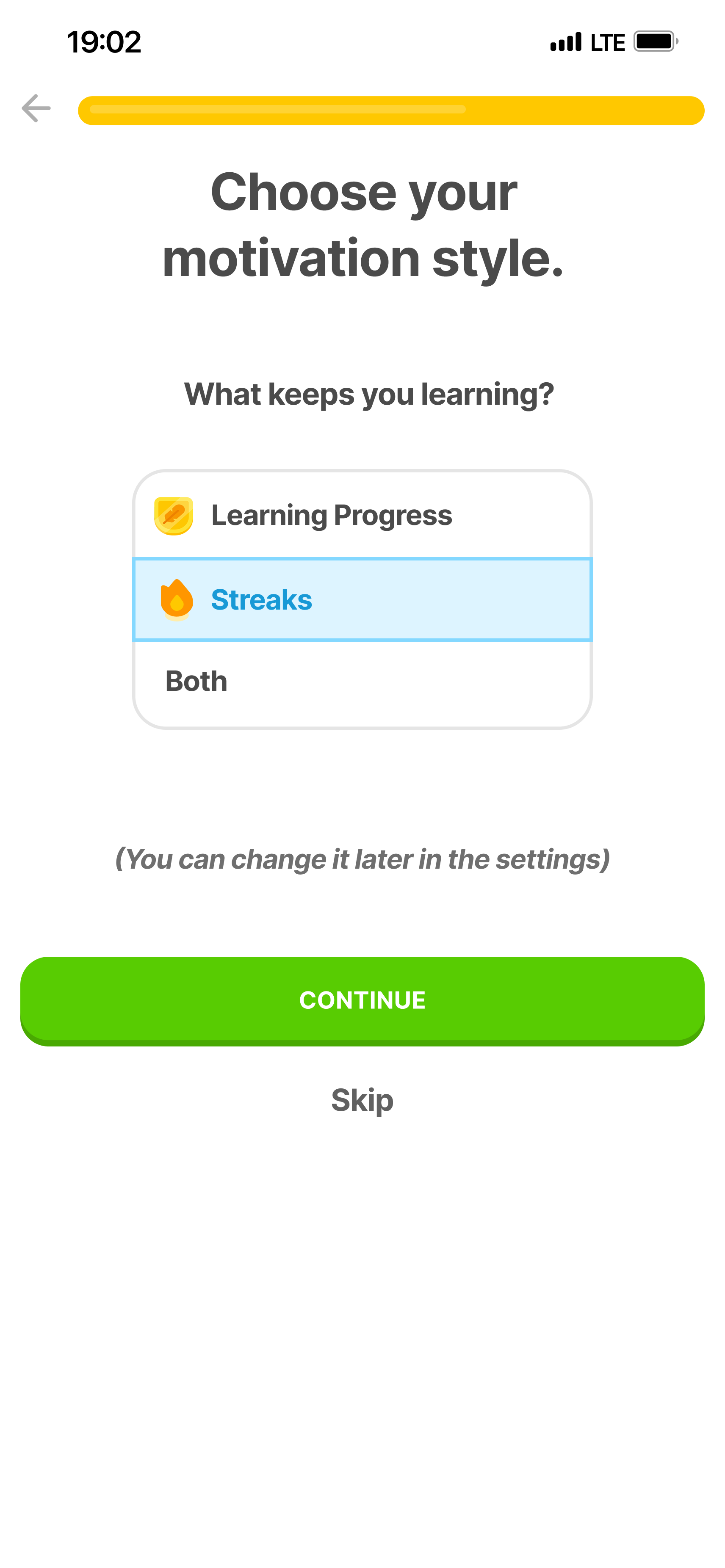
Choose streaks or learning progress
Fitness app
A customisable dashboard with transparent, context-aware reminders.
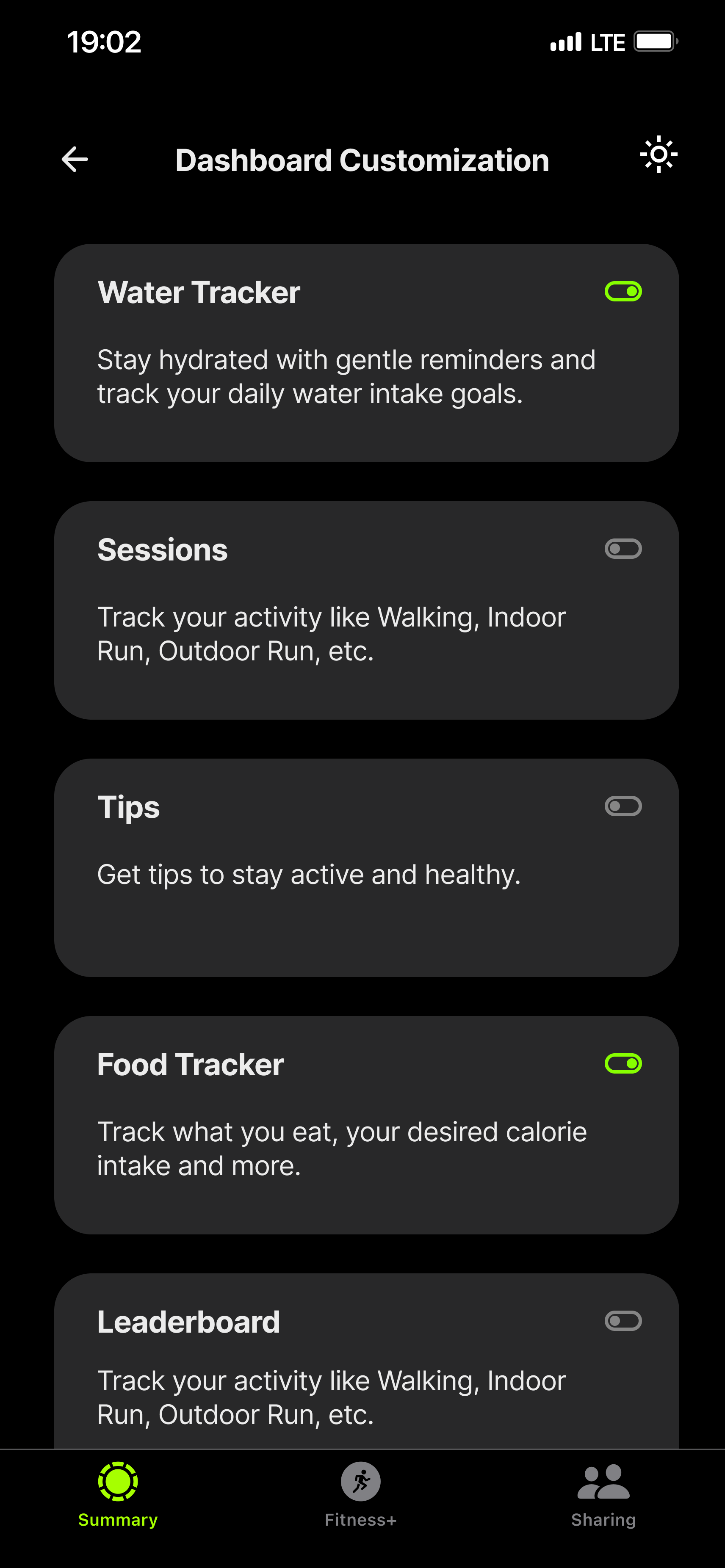
Dashboard customisation 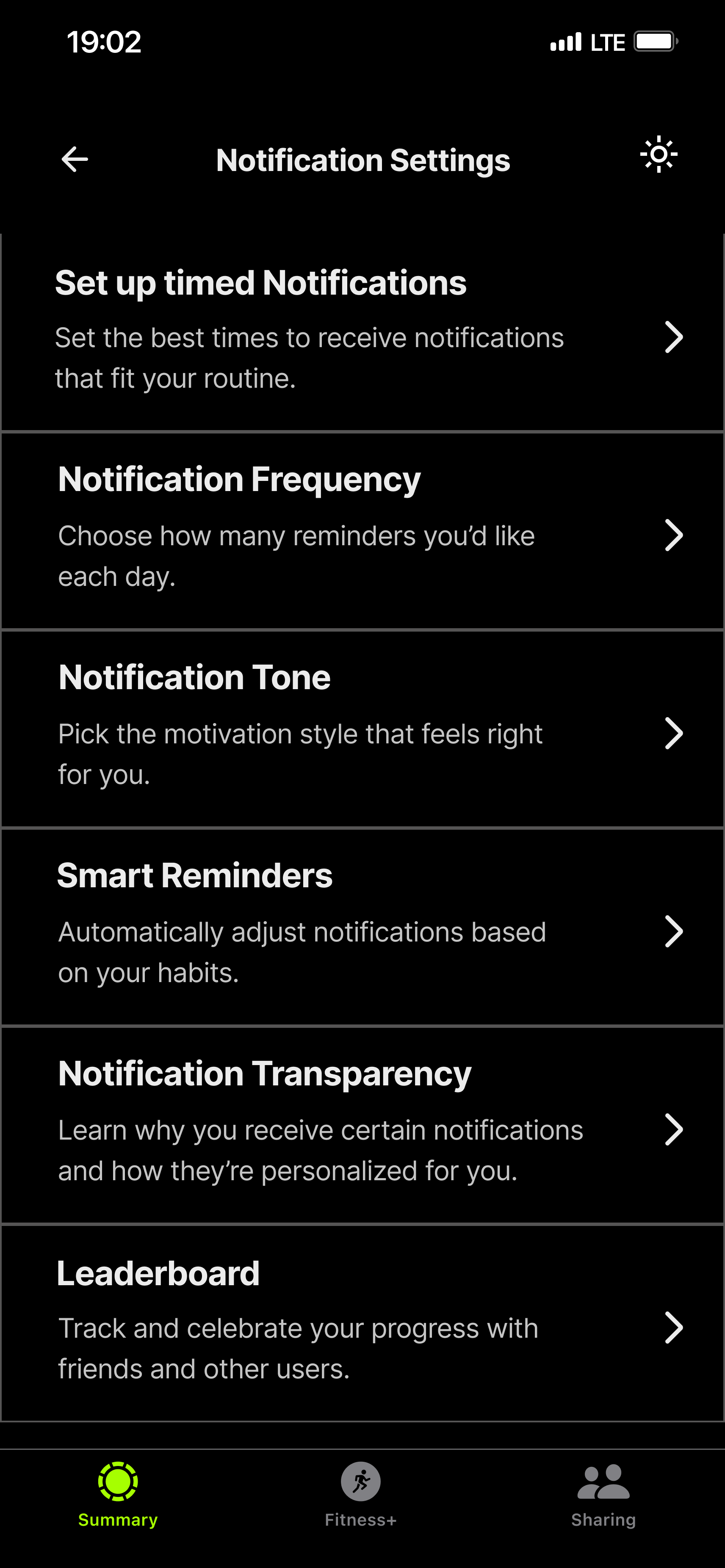
Notification settings and transparency 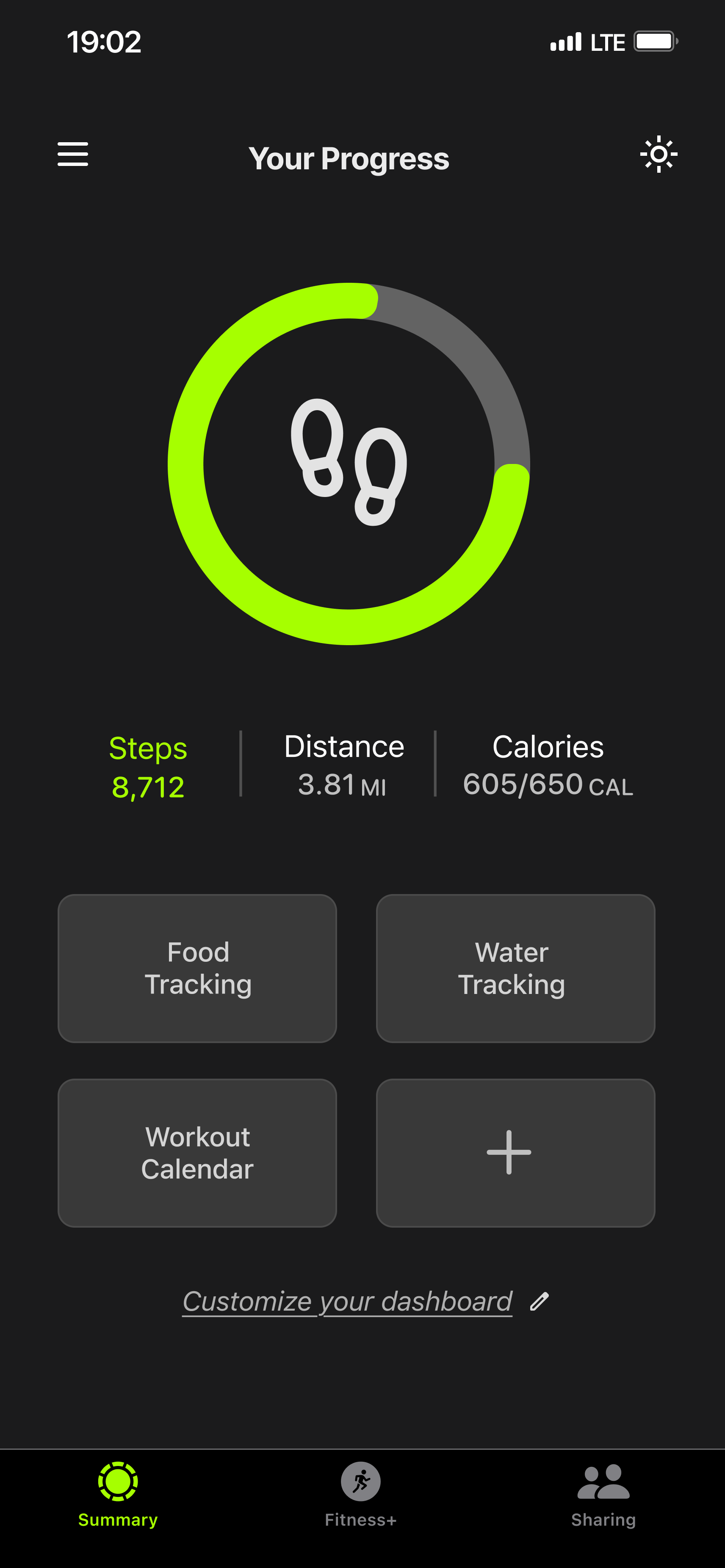
Steps progress 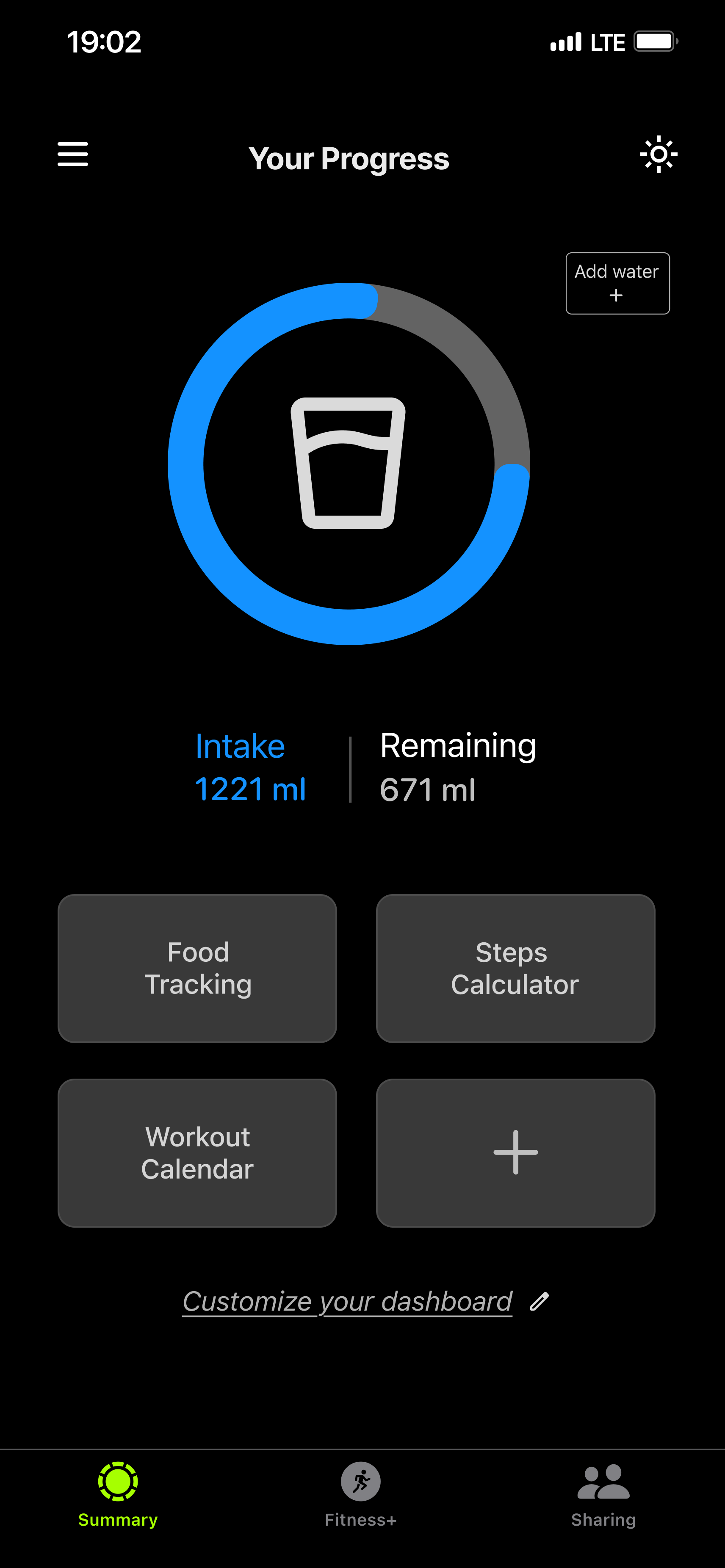
Water intake progress 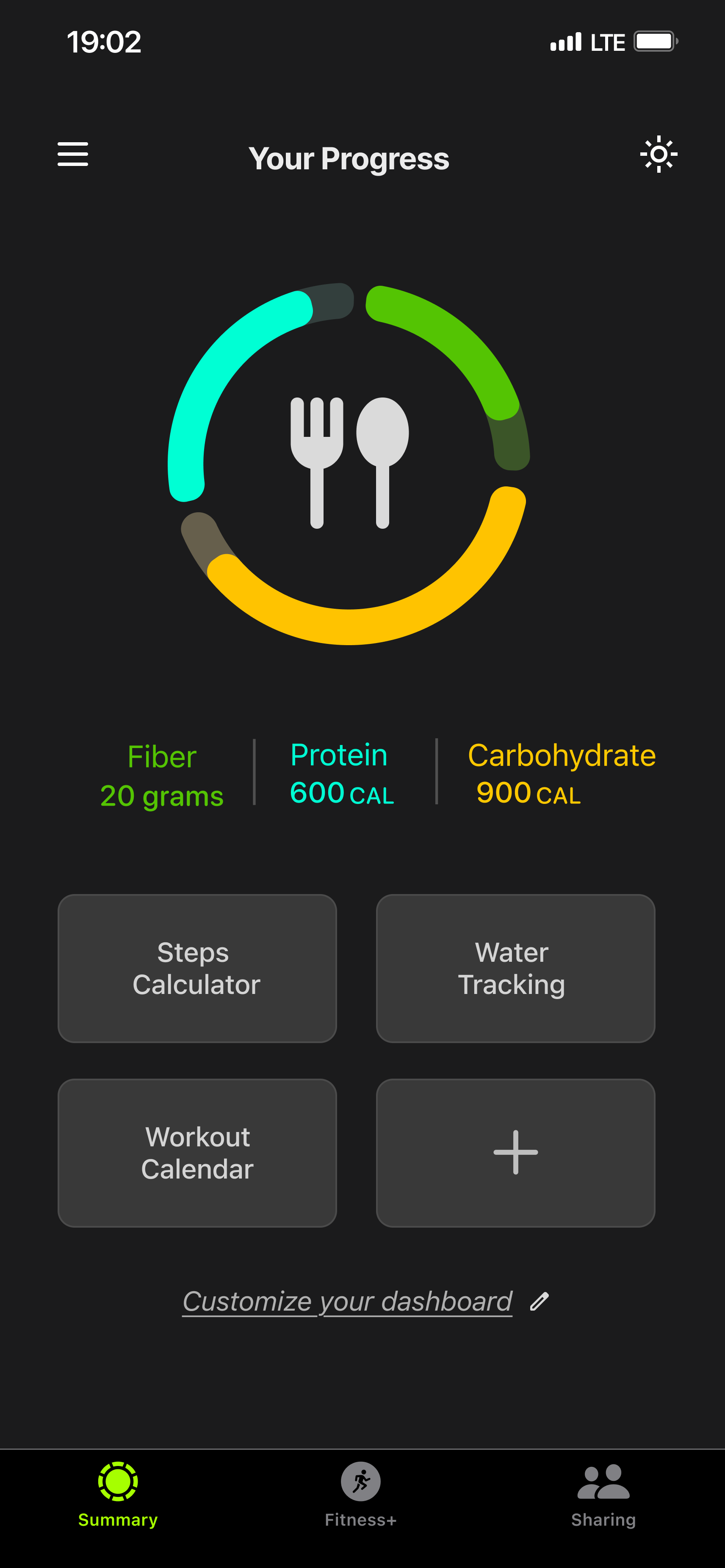
Nutrition progress 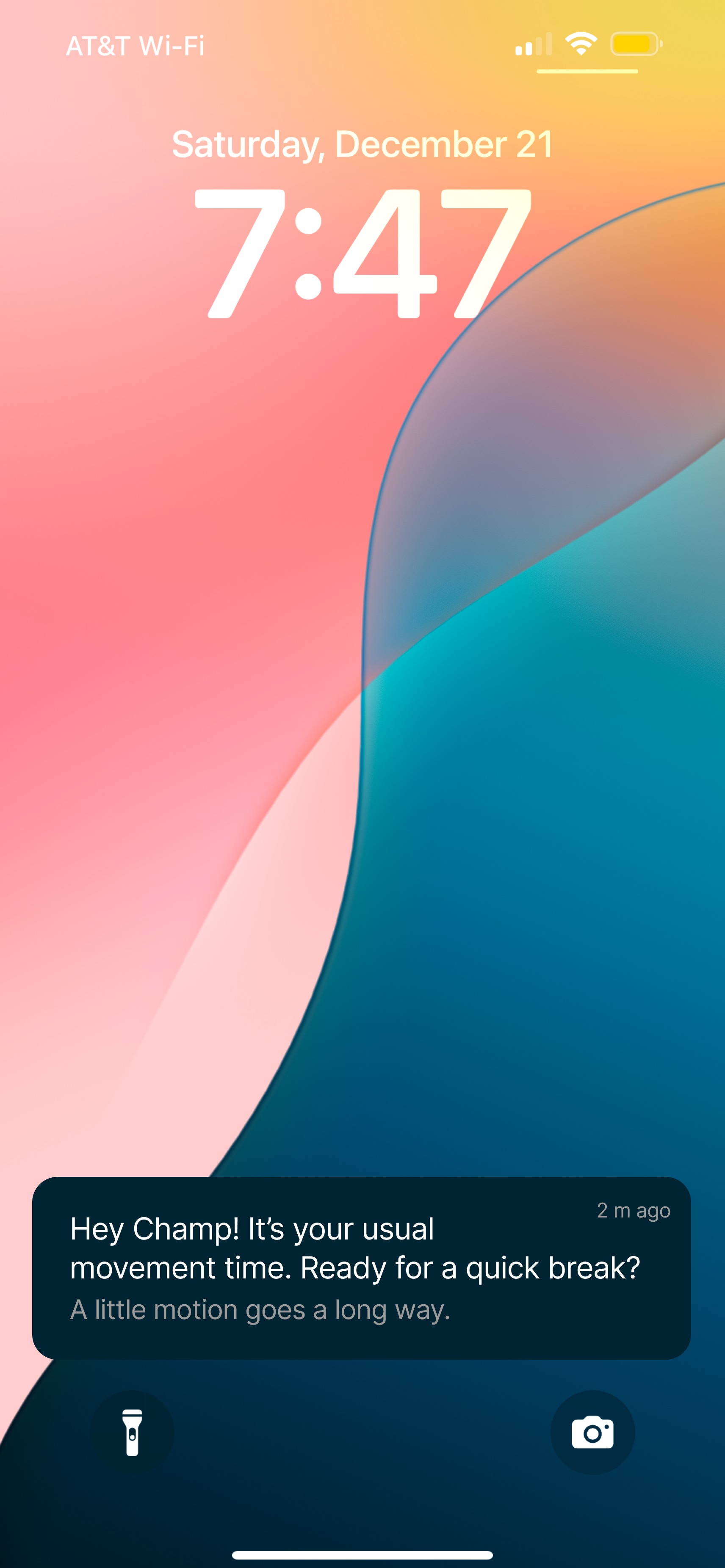
Context-aware lock-screen nudge
SHEIN
A calmer profile, separated offers, and honest alert controls.
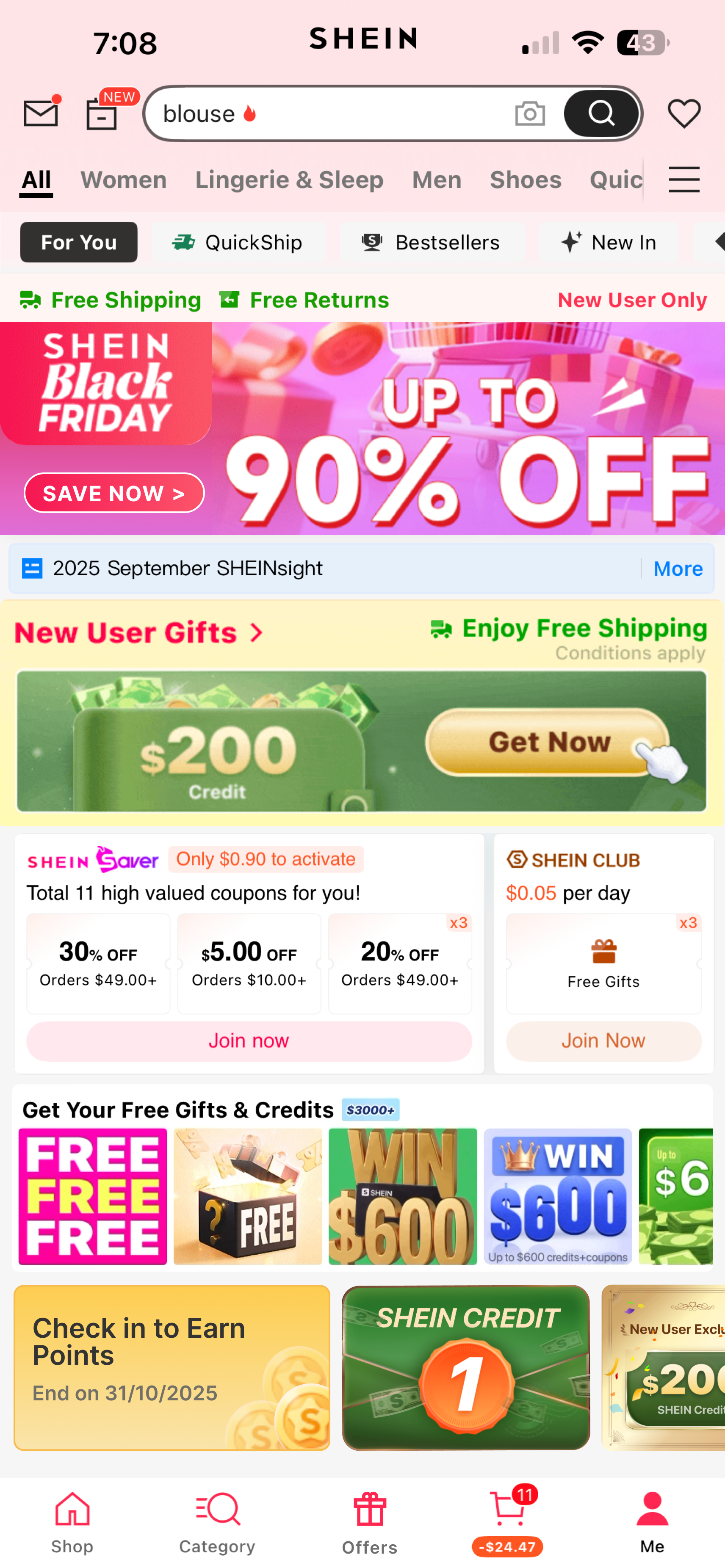
Home feed 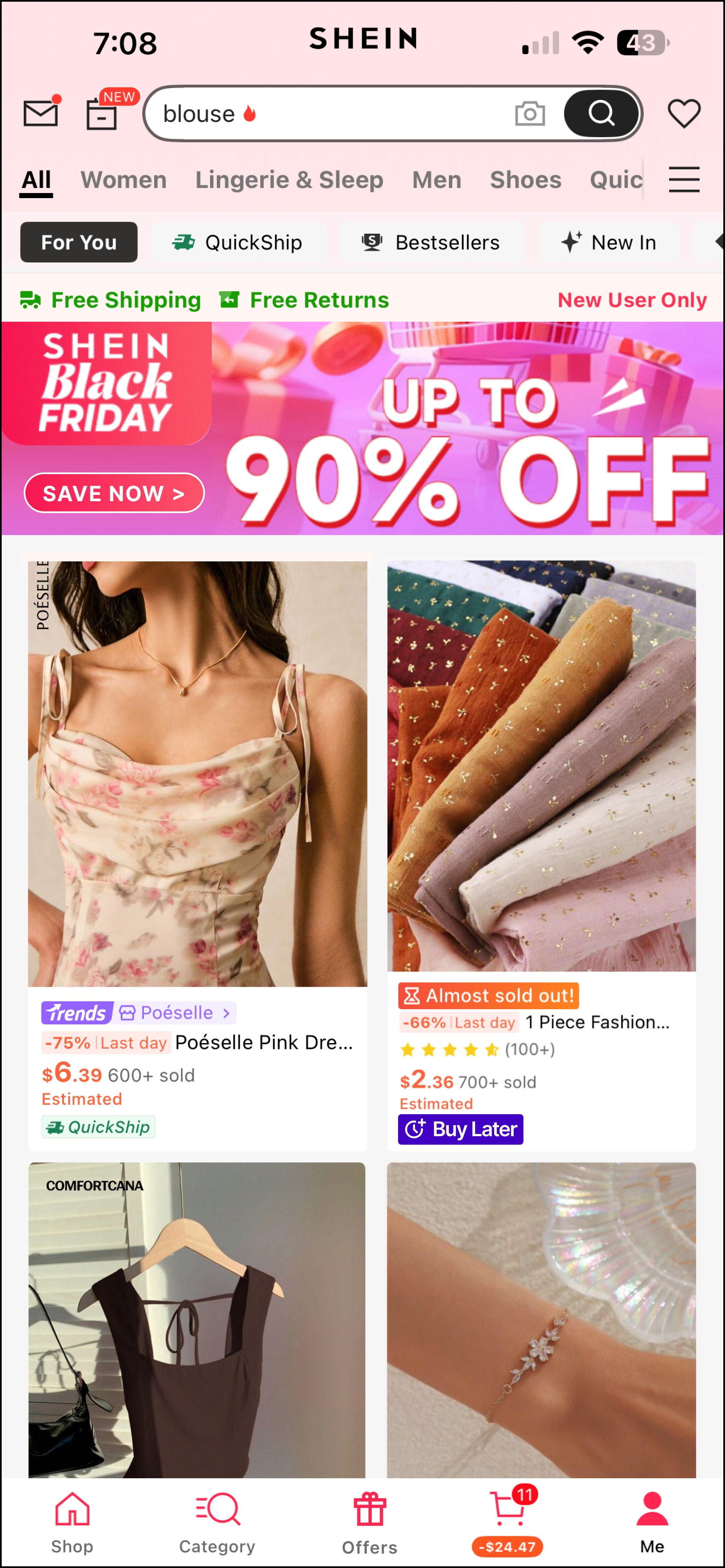
Product feed with Buy Later 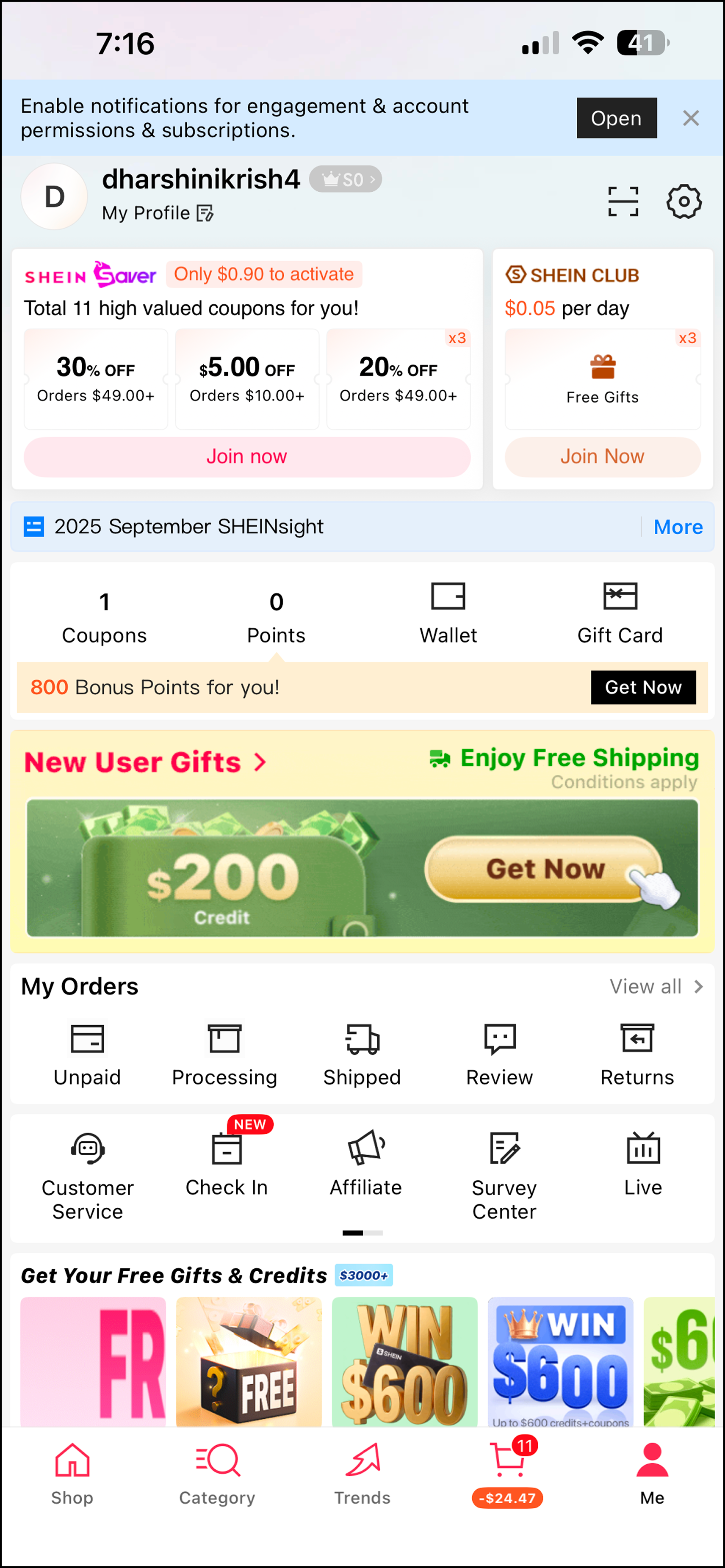
Clean profile for orders 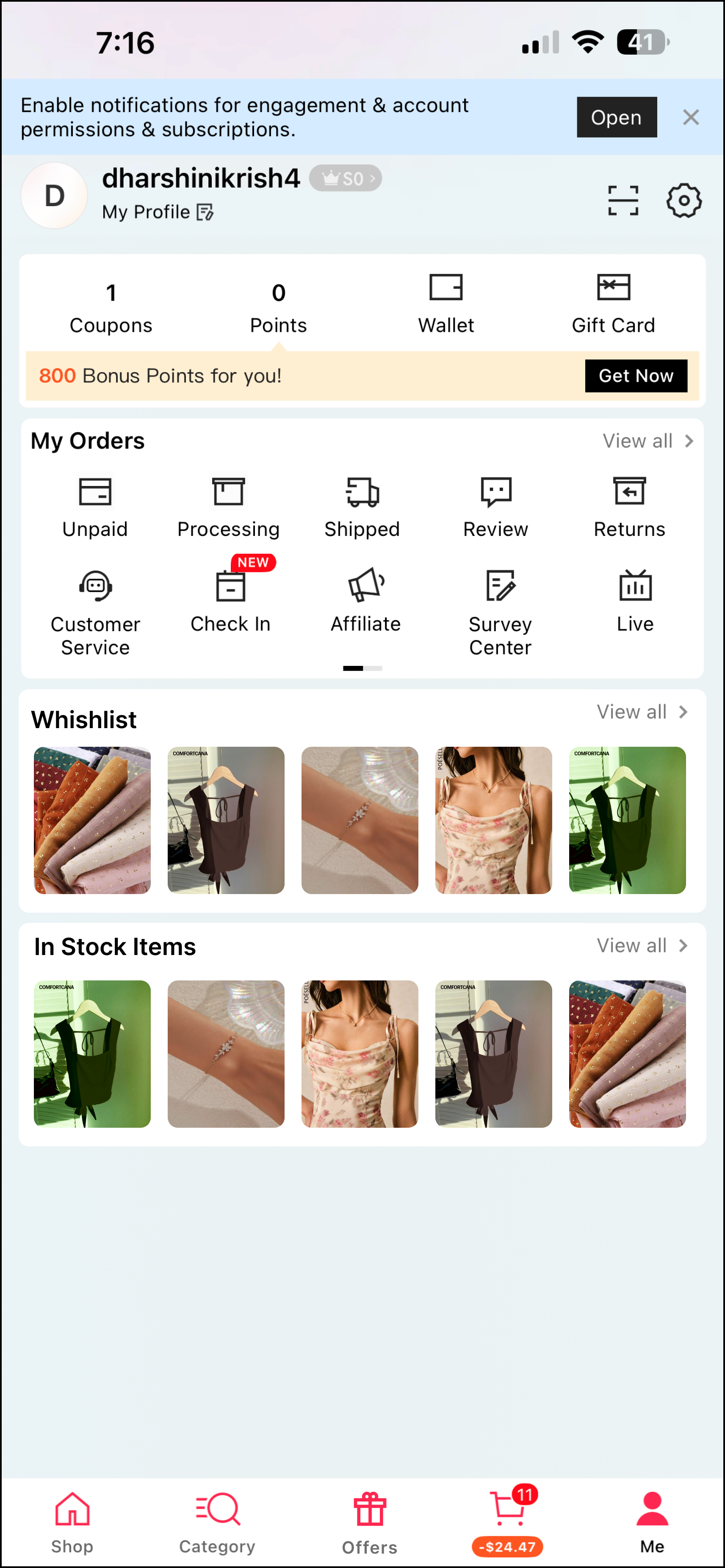
Profile with wishlist and in-stock items 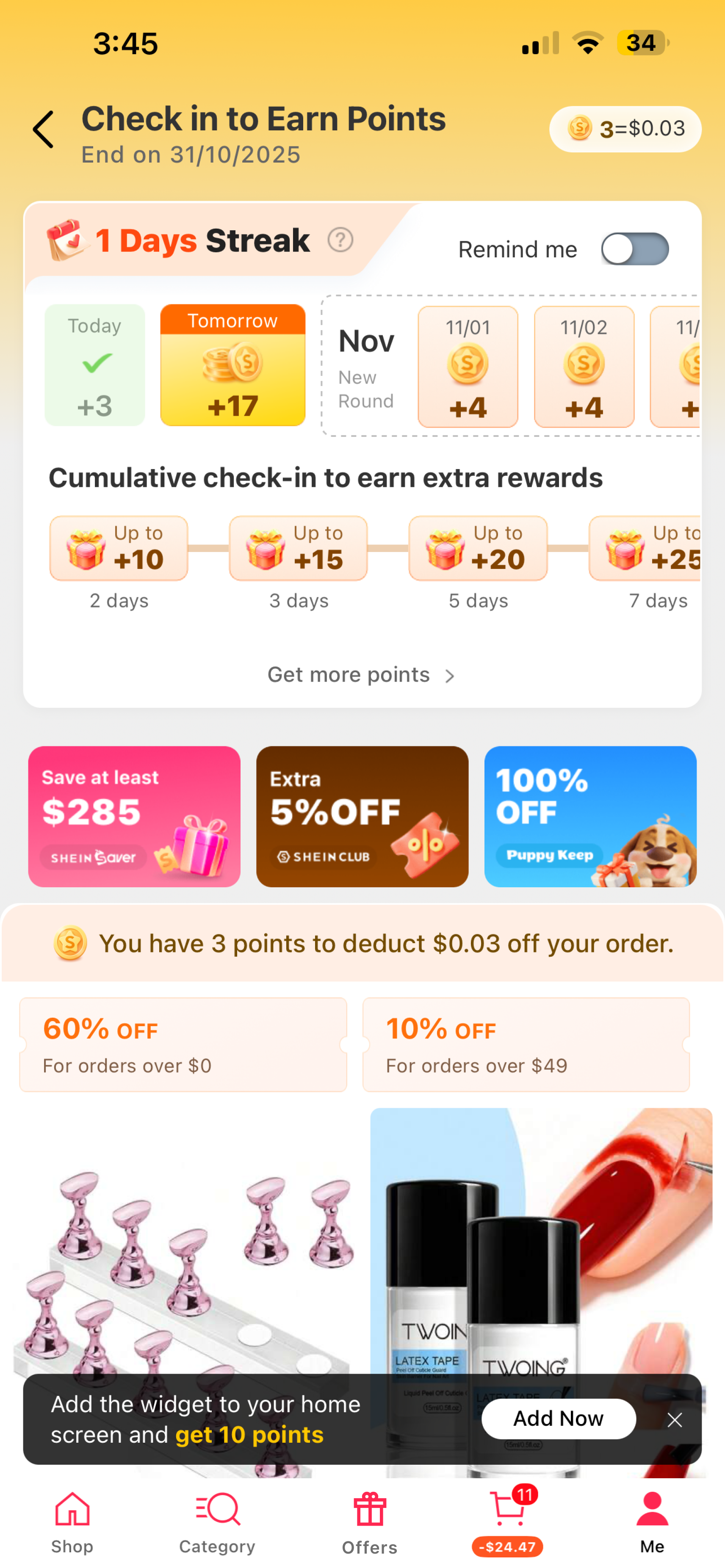
Separate offers and check-in page 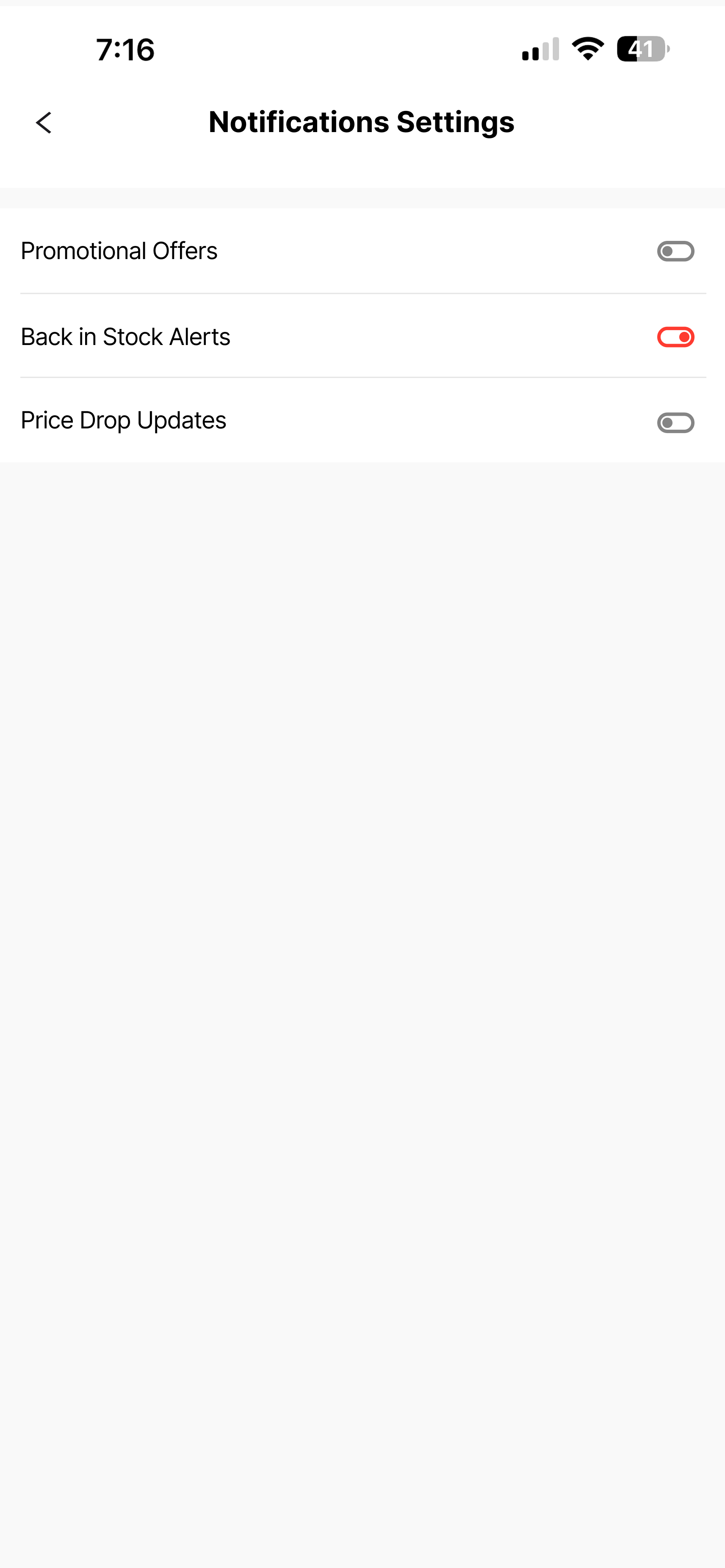
Promotional vs. transactional alerts 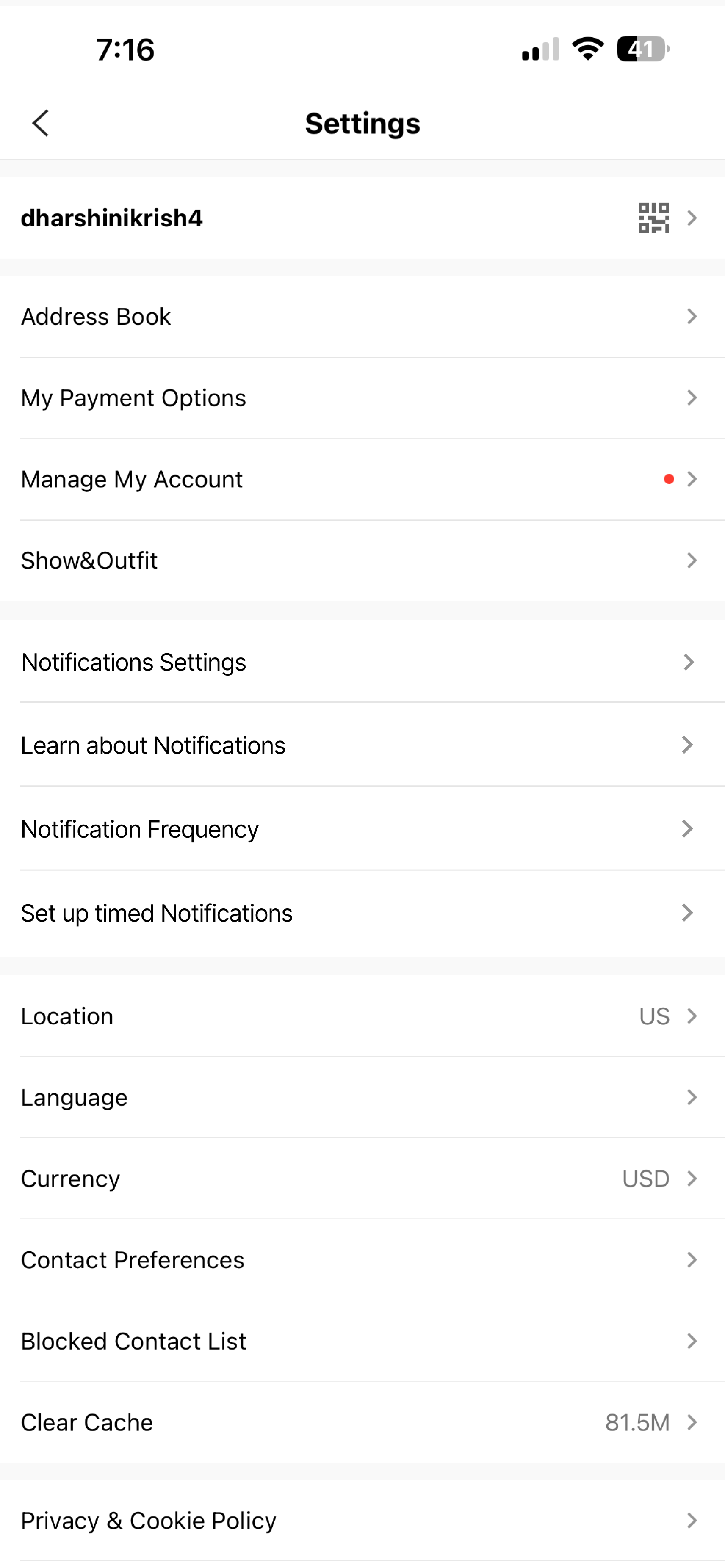
Settings with notification controls
06 — Testing
The highest-scoring features treated users like adults
Five participants, think-aloud protocol, 1–5 rating per feature across all three prototypes.
| Feature | Score | Feedback |
|---|---|---|
| Notification limit (Duolingo) | 5.0 | Unanimous 5/5 |
| Streak vs. learning progress choice | 5.0 | Universally preferred |
| Dashboard customisation (fitness) | 5.0 | Unanimously valued |
| Add to Buy Later (SHEIN) | 5.0 | Universally loved |
| Notification settings (SHEIN) | 5.0 | Strongest trust-builder |
| Customisable reminder timing | 4.8 | Strong approval |
| Profile layout (SHEIN) | 4.8 | “The original seems too cluttered” |
| Separate Offers page (SHEIN) | 4.5 | Mostly liked |
| Motivation buddy selection | 4.1 | “Tone doesn’t matter to me” |
| Context-aware notification | 4.0 | “If I don’t go, there will be a reason” |
The more interesting story
The two moderate scores weren’t bad ideas — they mattered deeply to some users and not at all to others. That isn’t a design failure. It’s the argument for opt-in.
07 — Reflection
Users don’t want less persuasion — they want respect
Every participant who said “I know the app is manipulating me” kept using it. The awareness-behaviour gap is real. What partially closes it is genuine control — not settings buried three levels deep — and transparency that centres the user’s benefit.
Takeaway
Transparency builds trust. Autonomy builds loyalty. Ethical design isn’t a constraint — it’s a competitive advantage.
- Next: longitudinal research on how perceptions shift over months of use.
- Next: behavioural data to test whether stated preferences match actual usage.
- Open question: does “Add to Buy Later” reduce impulse buying, or just delay it?