Balancing Trust and Engagement in
Persuasive Design
ROLE
Product Designer
UX Researcher
TIMELINE
6 Months
TOOLS
Figma, FigJam,
Google Forms
TYPE
Academic Research
PROJECT AT A GLANCE
Problem
Apps across education, wellness, and shopping use psychological tactics to drive engagement, but most users have no idea why they feel nudged, guilty, or watched. The question isn't whether persuasive design works. It's whether it has to work by keeping people in the dark.
Solution
Mixed-methods research: surveys (n=36), semi-structured interviews, comparative focus groups (informed vs. uninformed), and usability testing on redesigned prototypes across Duolingo, a fitness app, and SHEIN.
Impact
Features built on transparency, control, and opt-in design scored 4.5–5.0/5.0 in usability testing. The finding that mattered most: ethical design doesn't sacrifice effectiveness, it earns something better, "long-term trust".
DETAILED CASE STUDY
01 - PROBLEM
Most users feel they're being nudged.
Almost none of them know why.
Persuasive design is embedded in almost every app we use, such as reminders, streaks, countdown timers, scarcity warnings, and gamification. These strategies are effective. But effectiveness isn't the question.
The question is what happens to trust when users become aware of the tactics being used on them.
RQ1
Are users aware of persuasive design strategies like nudges, streaks, and reminders?
RQ2
How does awareness affect trust and interaction with apps?
RQ3
Does transparency about persuasive intent increase or decrease trust?
RQ4
How do persuasive features affect a user's perceived sense of autonomy?
The starting point: 91% of participants recognized specific persuasive features. Only 25% knew the term "persuasive design." They had the experience without the vocabulary; they felt something was happening, they just couldn't name it.
02 - RESEARCH
A two-phase approach: understand the problem, then test whether a better design solves it.
The research ran in two phases. Phase 1 investigated awareness, trust, and autonomy perceptions. Phase 2 validated findings by building prototypes and testing them with real users.
Phase 1: Understanding
Survey (n=36)
Semi-structured interviews with 10 participants
Comparative focus groups exploring experiences with Duolingo, fitness apps, and SHEIN, before any framing around persuasive design.
15 design guidelines developed from thematic analysis.
Redesigned prototypes built for all three apps.
Usability testing with 5 participants using the think-aloud protocol.
The methodological innovation :
Informed vs. Uninformed Focus Groups
Uninformed Group
No context provided. Study introduced as "exploring user experiences with digital apps." Recognised features but couldn't interrogate why they worked.
"Funny, not helpful" about Duo's angry reminders. Felt "50/50" on control. Called recommendations "distracting."
Informed Group
Received 10-minute education on persuasive design concepts before discussion. Made deliberate decisions about which features to engage with and which to reject.
"I'll think consciously about them now." Same trust levels, but awareness changed how they evaluated features.
WHAT WAS FOUND
Seven themes.
One surprised me more than the others.
Reflexive thematic analysis across all data sources produced seven unified themes. The most important wasn't about trust or notifications, it was about the gap between what users believed about themselves and what the data showed.
User control & agency
Design & presentation preferences
Personalization & context awareness
User awareness & literacy
Notification experience
Manipulation & persuasion recognition
Trust & transparency
The control paradox
Participants said, "I decide when I use the app" in the same breath as "I cannot stop myself from opening that message." They asserted autonomy while describing behaviors that were clearly design-shaped. This isn't hypocrisy; it's a psychological need to perceive control even when behavioral evidence suggests otherwise. Most persuasive design exploits exactly that gap.
Duolingo's streak feels motivating. SHEIN's countdown feels manipulative. Users evaluate features based
Duolingo's streak feels motivating. SHEIN's countdown feels manipulative. Users evaluate features based on perceived alignment between app goals and user goals.
Participants who understood persuasive mechanics still felt the pull of notifications — understanding alone doesn't override emotional and habitual responses.
"This reminder helps you reach your goal" built trust. "This notification increases engagement" damaged it. Opposite effect depending on whose benefit was centered.
Application-specific findings
Duolingo
• Streak anxiety overshadowed actual learning progress.
• Mascot tone recognized as strategically designed.
• Reminder overload led to full notification disabling.
• High trust despite recognizing manipulation.
"I just turn notifications off"
Interview participant P3
Fitness apps
• Tracking features are viewed as service, not persuasion.
• Generic motivational feedback felt patronizing.
• Context-blind reminders interrupted at the wrong times.
• Desired more flexible, life-aware goal systems.
"I cannot stop myself from opening that message."
Interview participant P8
SHEIN
• Urgency and scarcity are universally recognized as fake.
• Most negative trust ratings of all three categories.
• Gamification dismissed as gimmicky.
• Personal shopping tendencies are acknowledged as exploited.
"The 'only 3 left' message is always there. It's fake."
Interview participant P9
The solution
8 implications.
All were derived directly from what users said.
Each implication maps to a specific finding. They're grounded in what participants actually experienced, not what designers assumed would help.
Notification & Communication
1
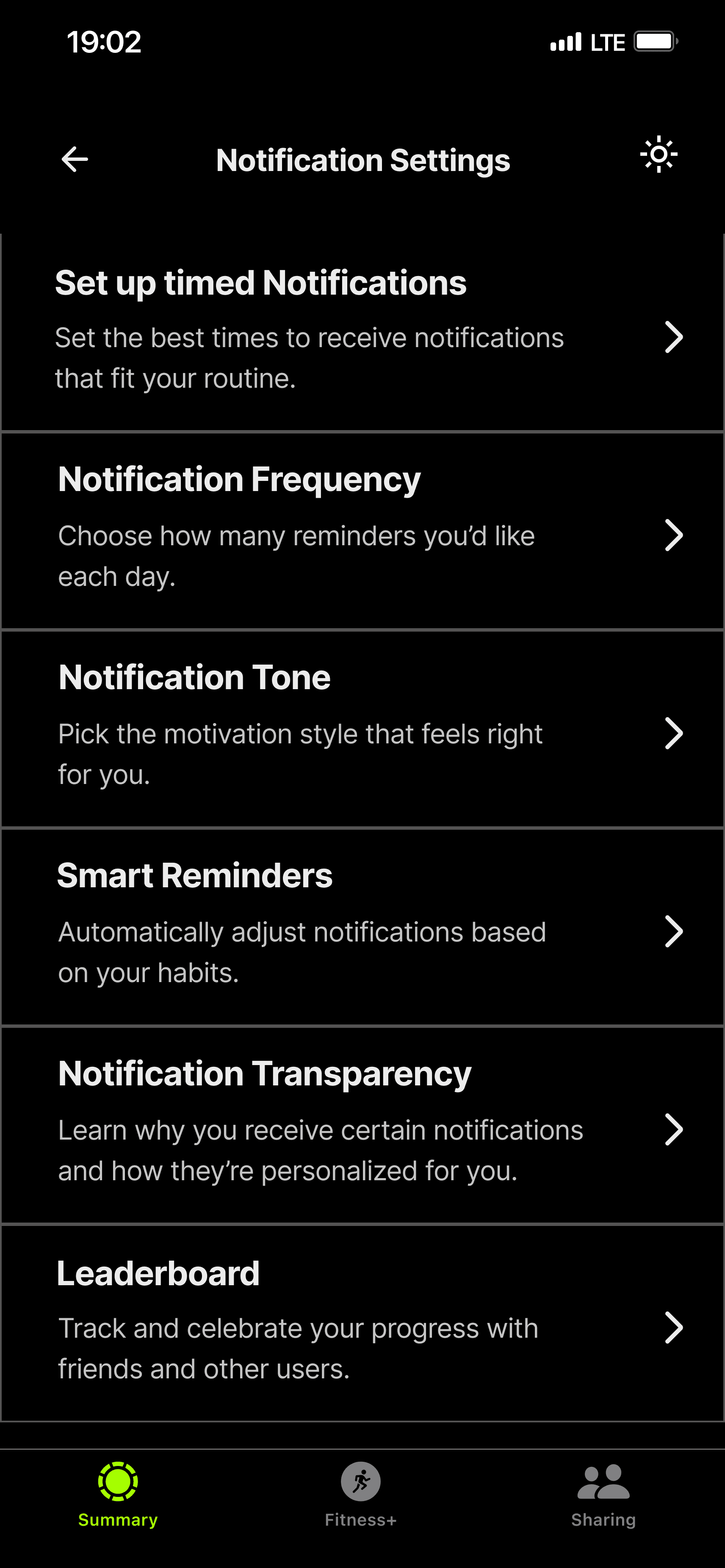
Design respectful, controllable notifications, granular frequency, timing, type controls with context-awareness and transparent "Why am I receiving this?" labelling
Transparency & Trust
2
Communicate intent transparently, proactively explain why features exist, framed around user goals, not business metrics. 89% said transparency would increase trust
3
Respect user autonomy through opt-in design, affirmative choice rather than forced opt-out; honour stated preferences consistently
Personalization & Context
4
Personalize thoughtfully based on context, meaningful customization from explicitly stated preferences; adapt to life circumstances without penalizing users
Design Quality & Ethics
5
Minimize visual clutter and competing demands, progressive disclosure, consolidated features, avoid simultaneous decision overload
6
Design ethically for informed, critical users, assume awareness, optimize for user benefit and sustainable behavior change over engagement metrics
7
Replace obligation-inducing streaks with flexible tracking, celebrate effort without penalizing breaks for illness, travel, or life events
8
Support deliberation in high-stakes decisions, cooling-off periods, prominent negative information, no pressure tactics during consideration
"Trust emerged as dependent not on the sophistication of persuasive techniques but on transparency, perceived intent alignment, and the degree of user control offered."
— Key insight from ACM paper
04 - DESIGNS
Three apps redesigned.
Each one solves a real friction point.
Duolingo
Onboarding redesign
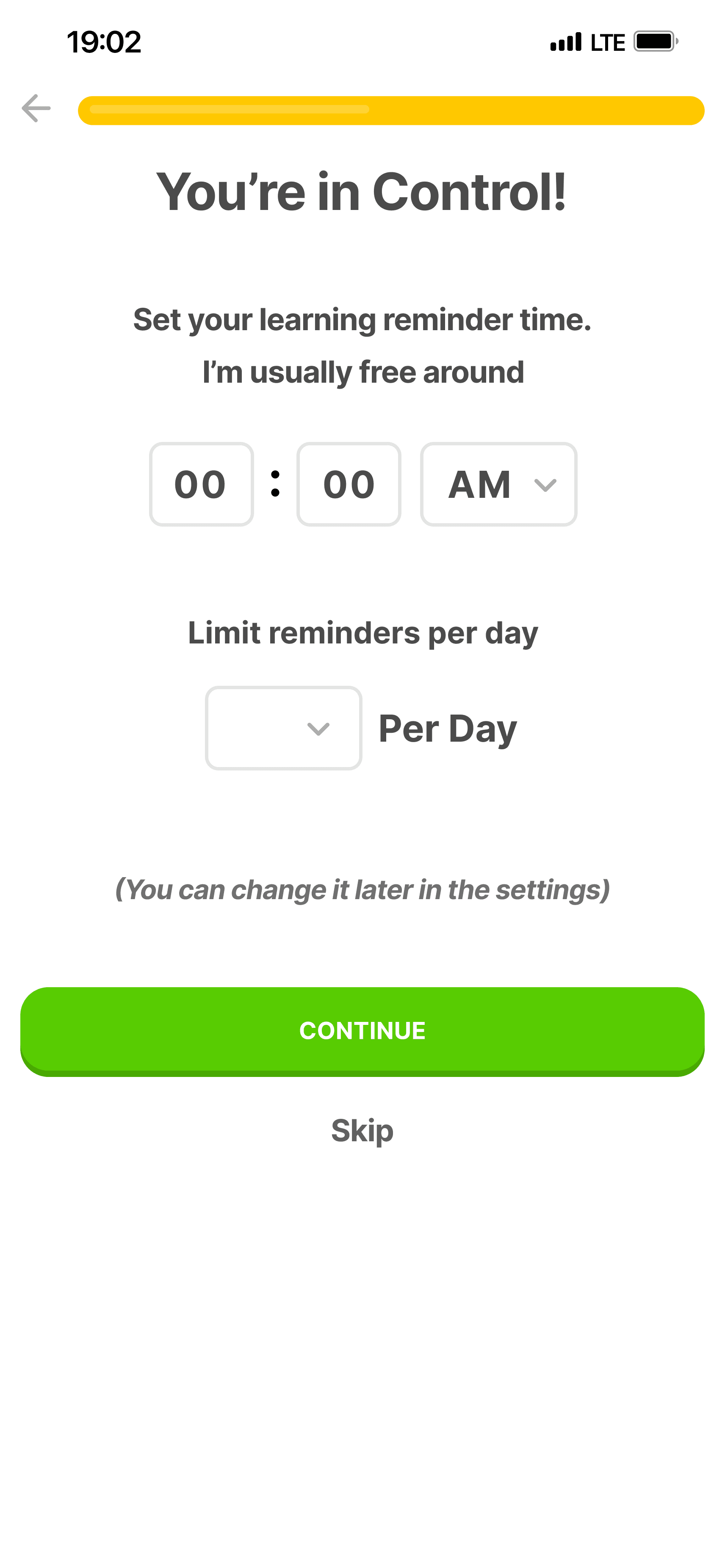
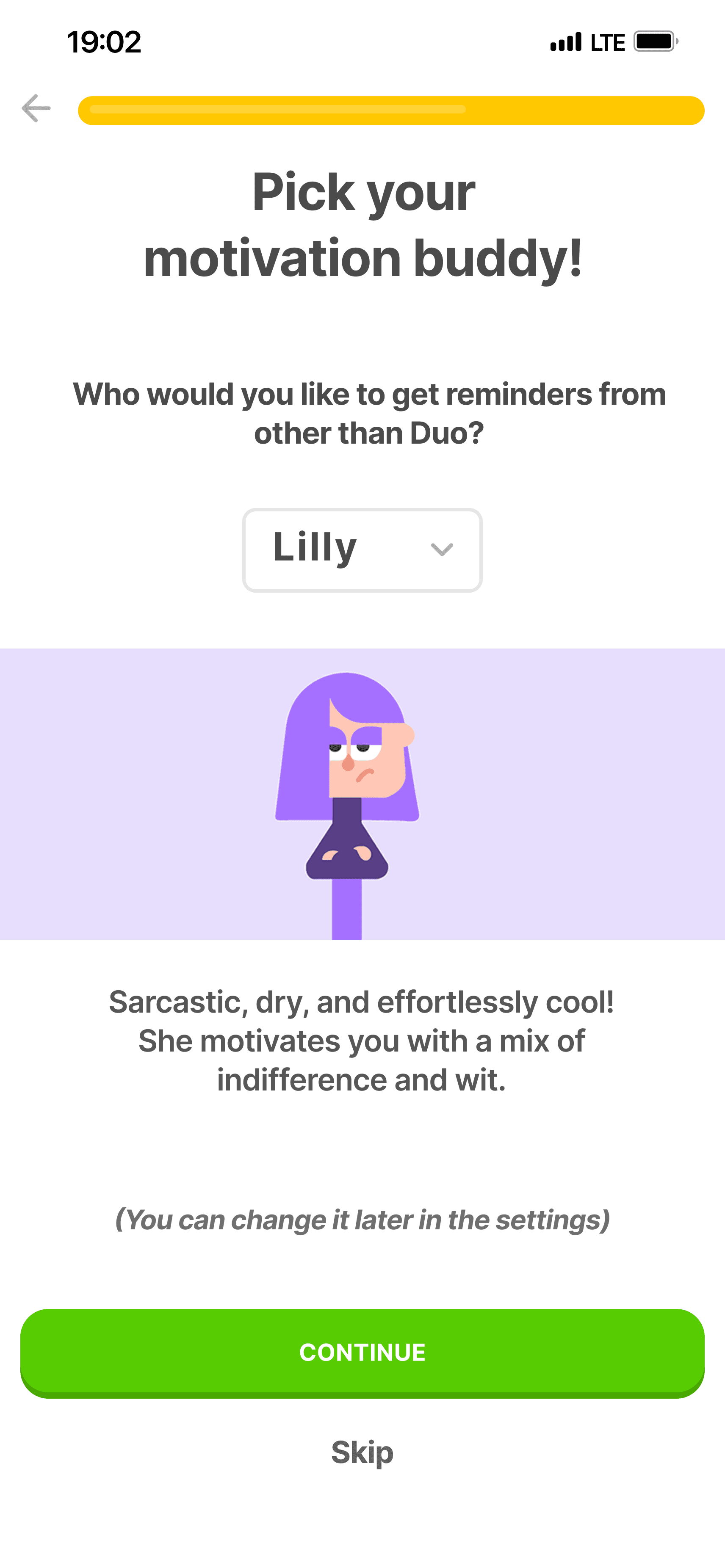
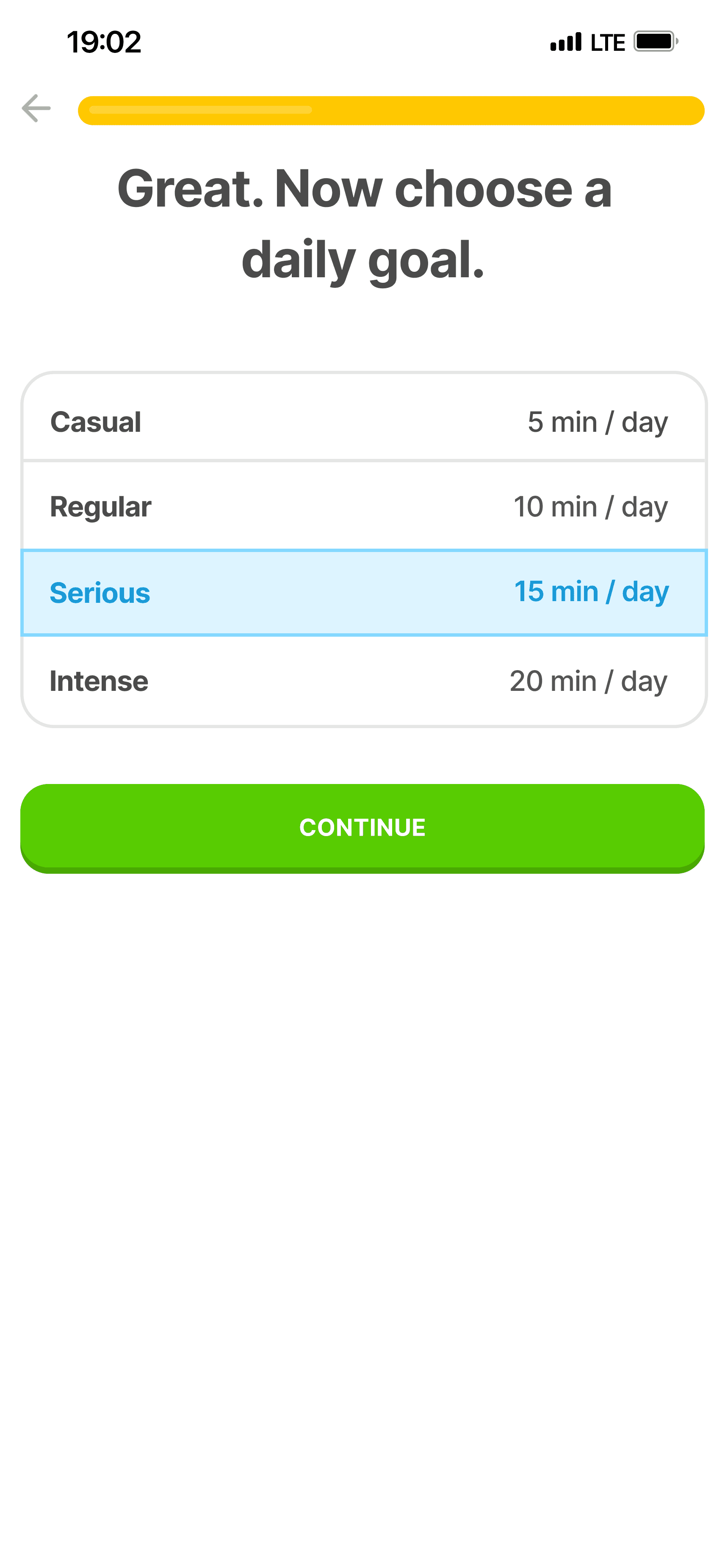
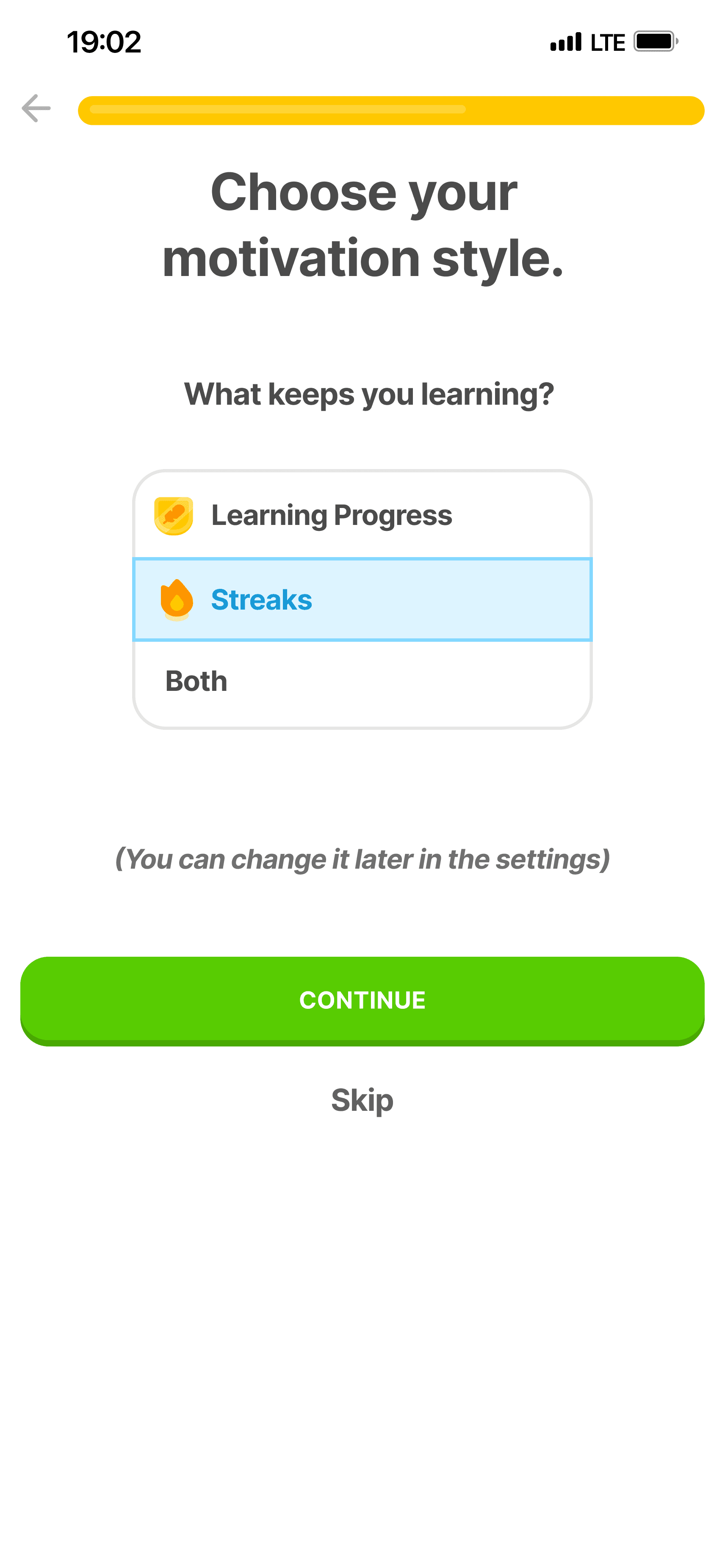
The existing onboarding drops users into a streak counter before they've completed a single lesson. The redesign introduces a "You're in Control!" screen, where users set their reminder time, limit notifications per day, choose their motivation buddy, and decide whether they want streak tracking or learning progress as their metric. Every screen includes: "You can change it later in settings."
Fitness app
Conceptual redesign
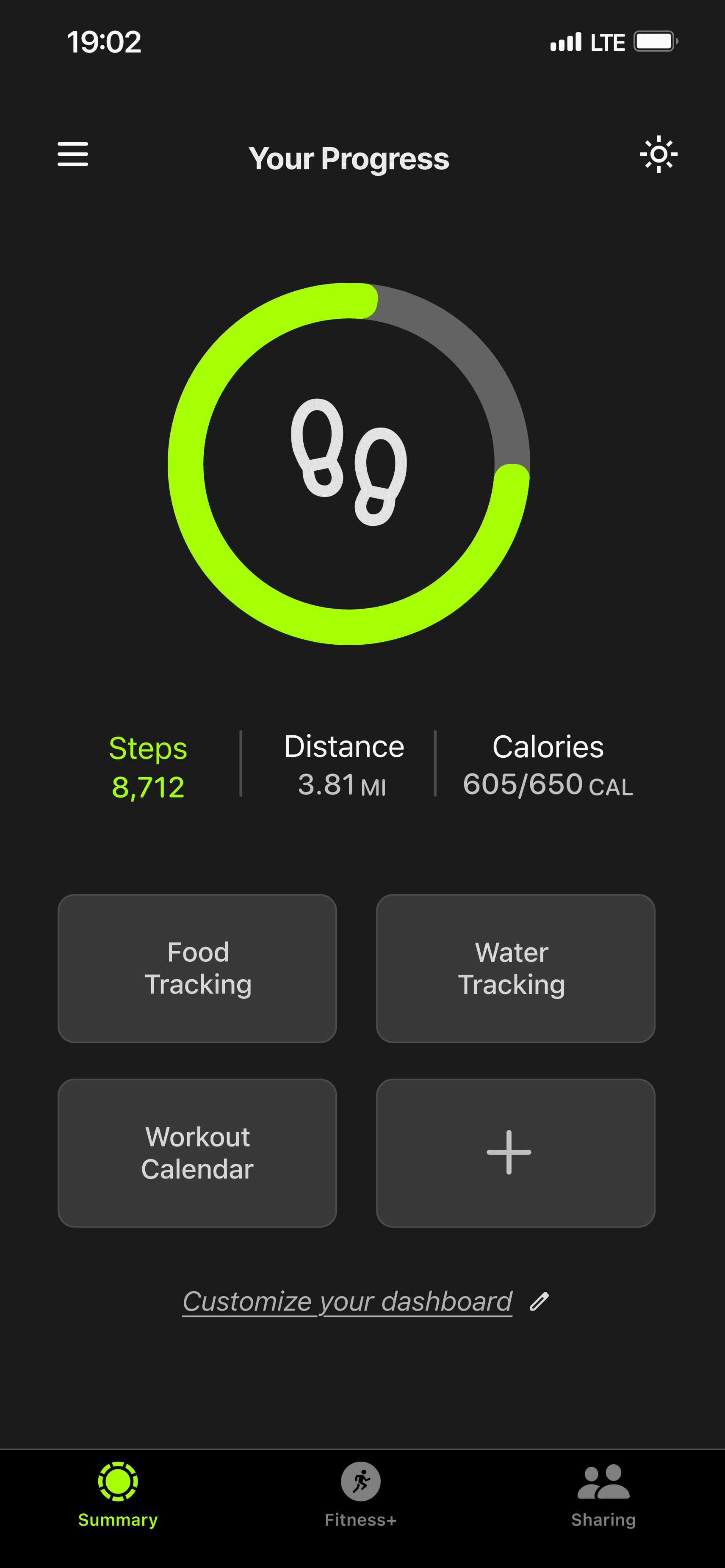
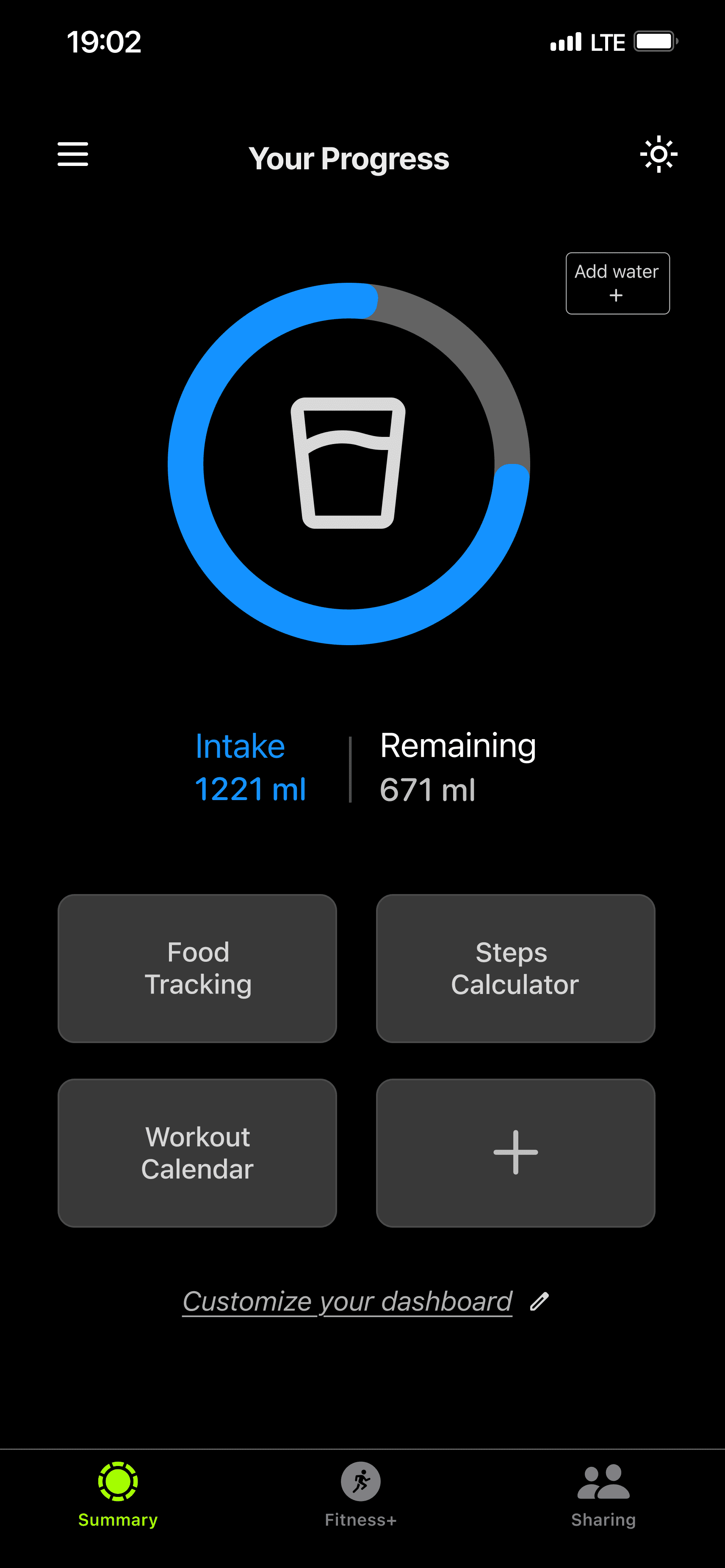
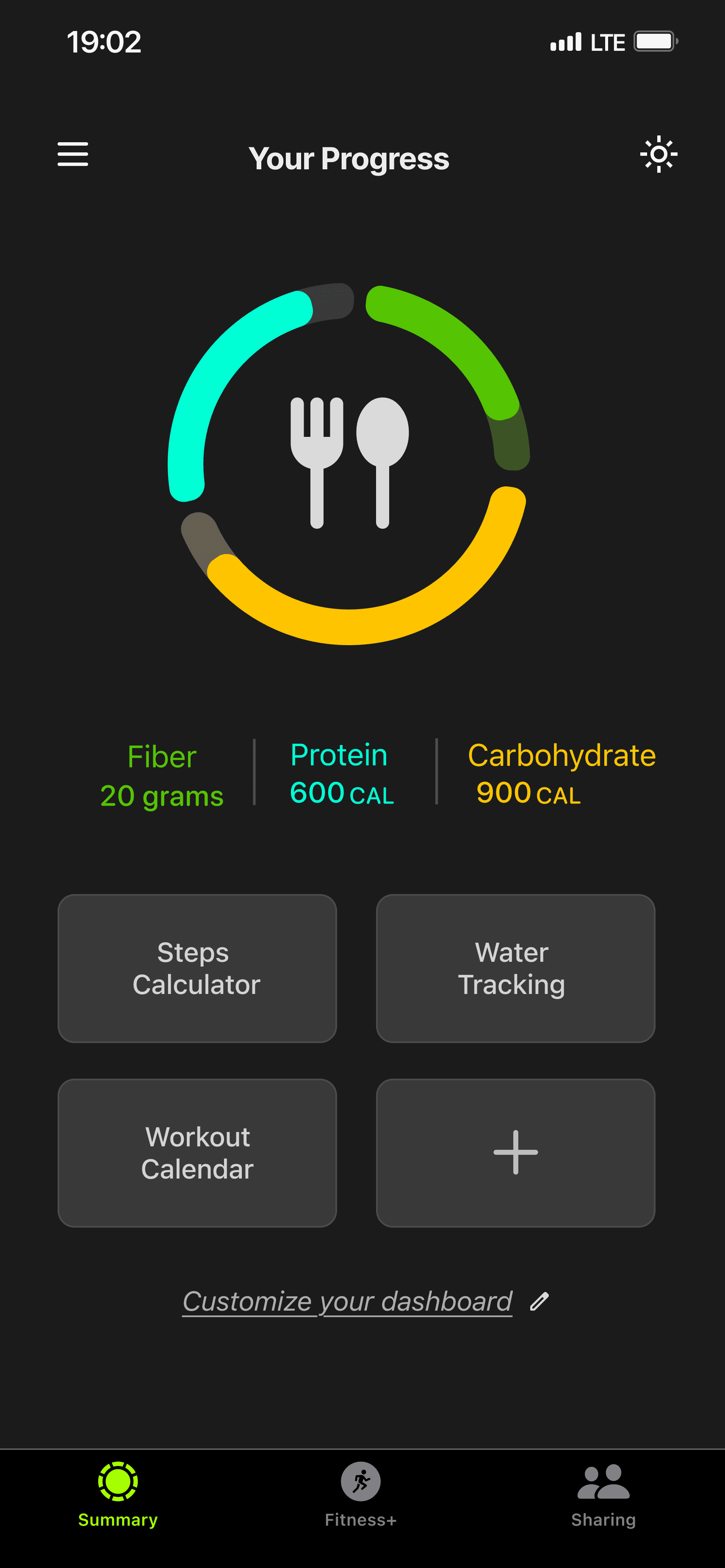
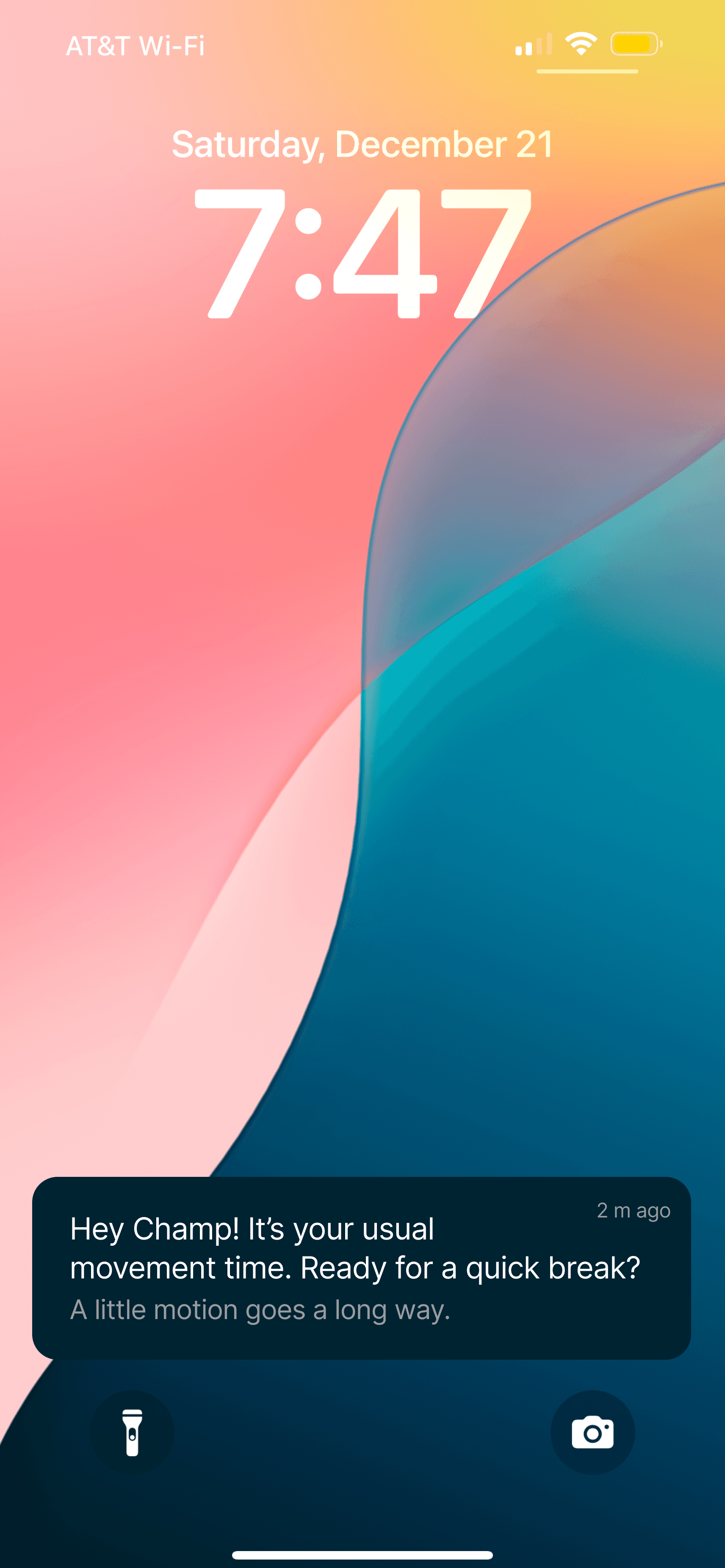
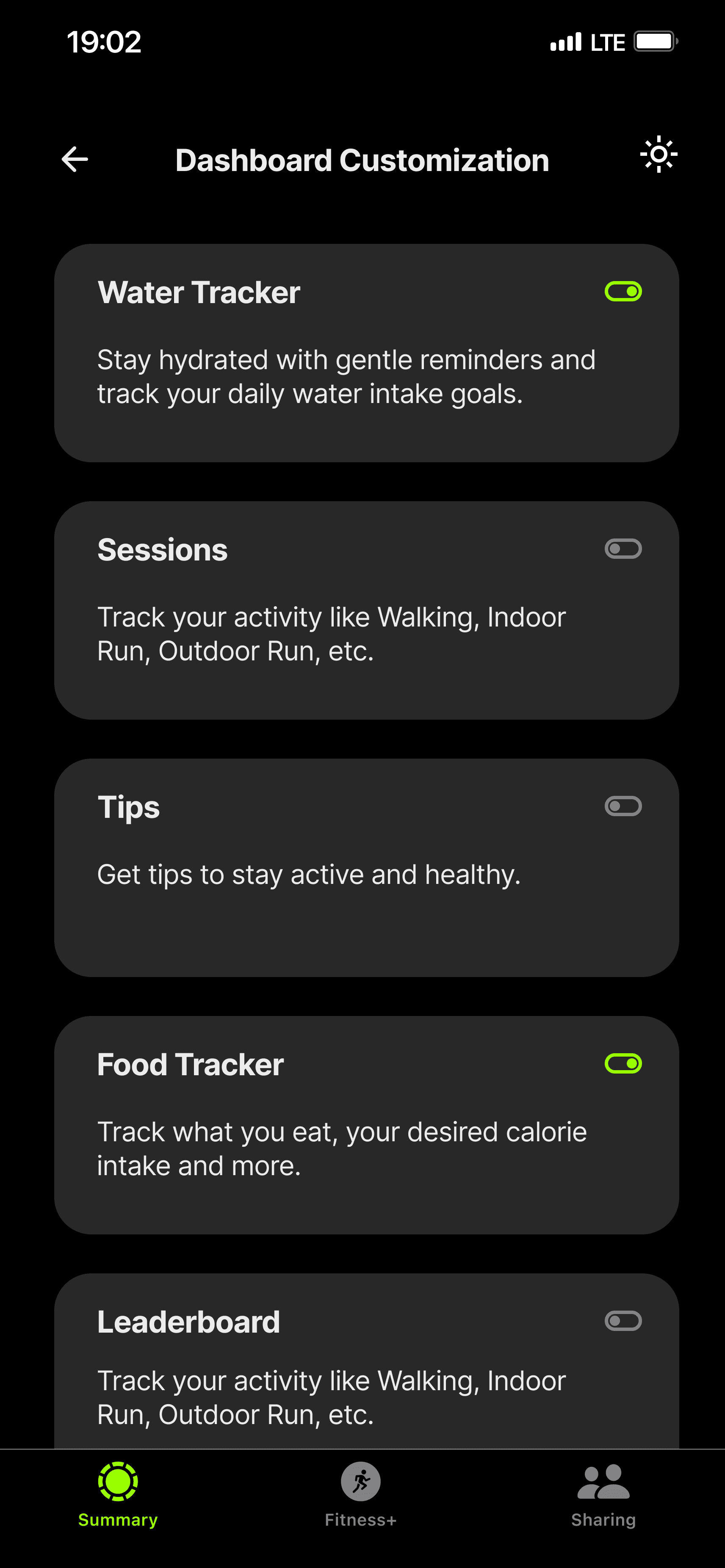
Built from scratch rather than redesigning an existing app. Centers a customizable dashboard where users choose which metrics to track, a settings section with granular notification controls, and a "Notification Transparency" option explaining why specific reminders are sent. The context-aware lock screen notification appears at the user's usual workout time, with the tone of a suggestion, not an obligation.
SHEIN
Interface redesign
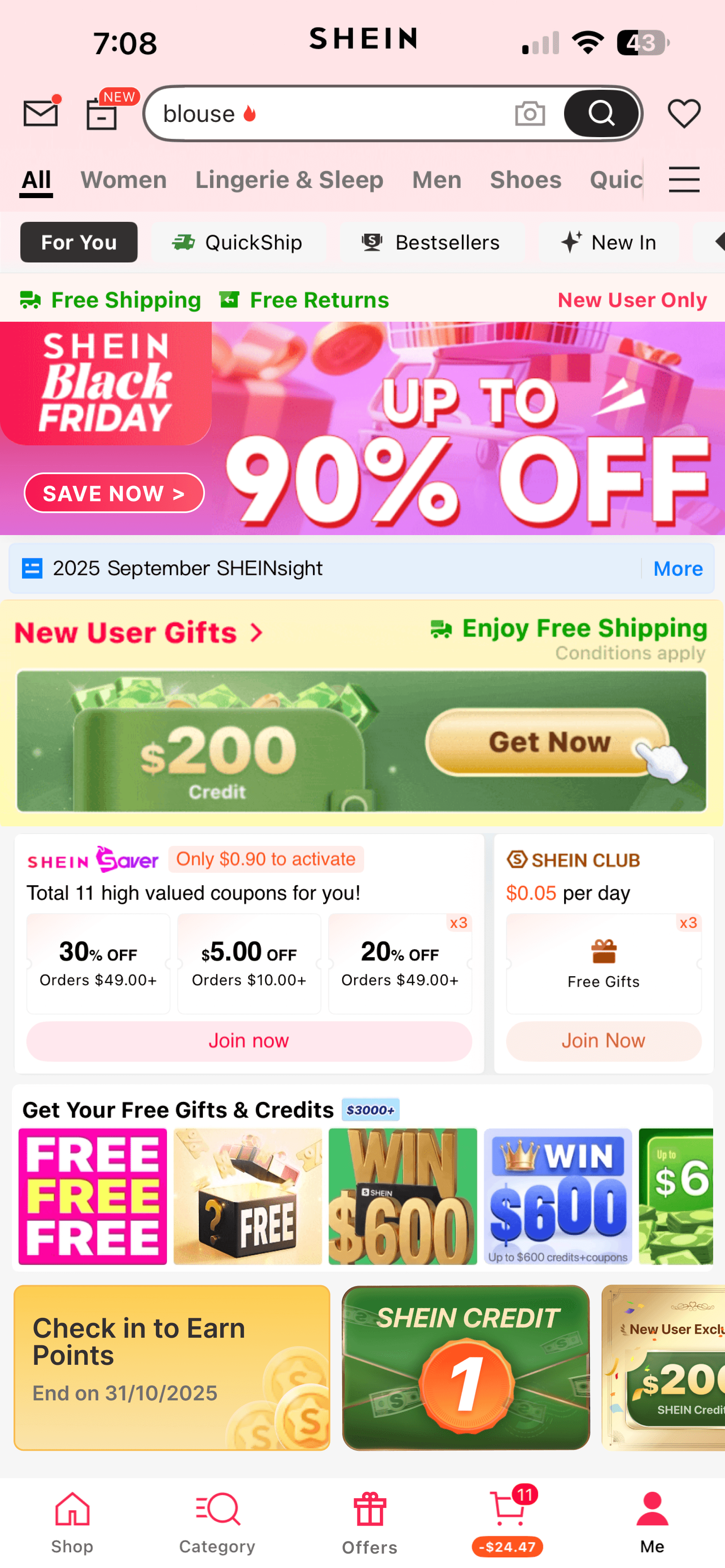
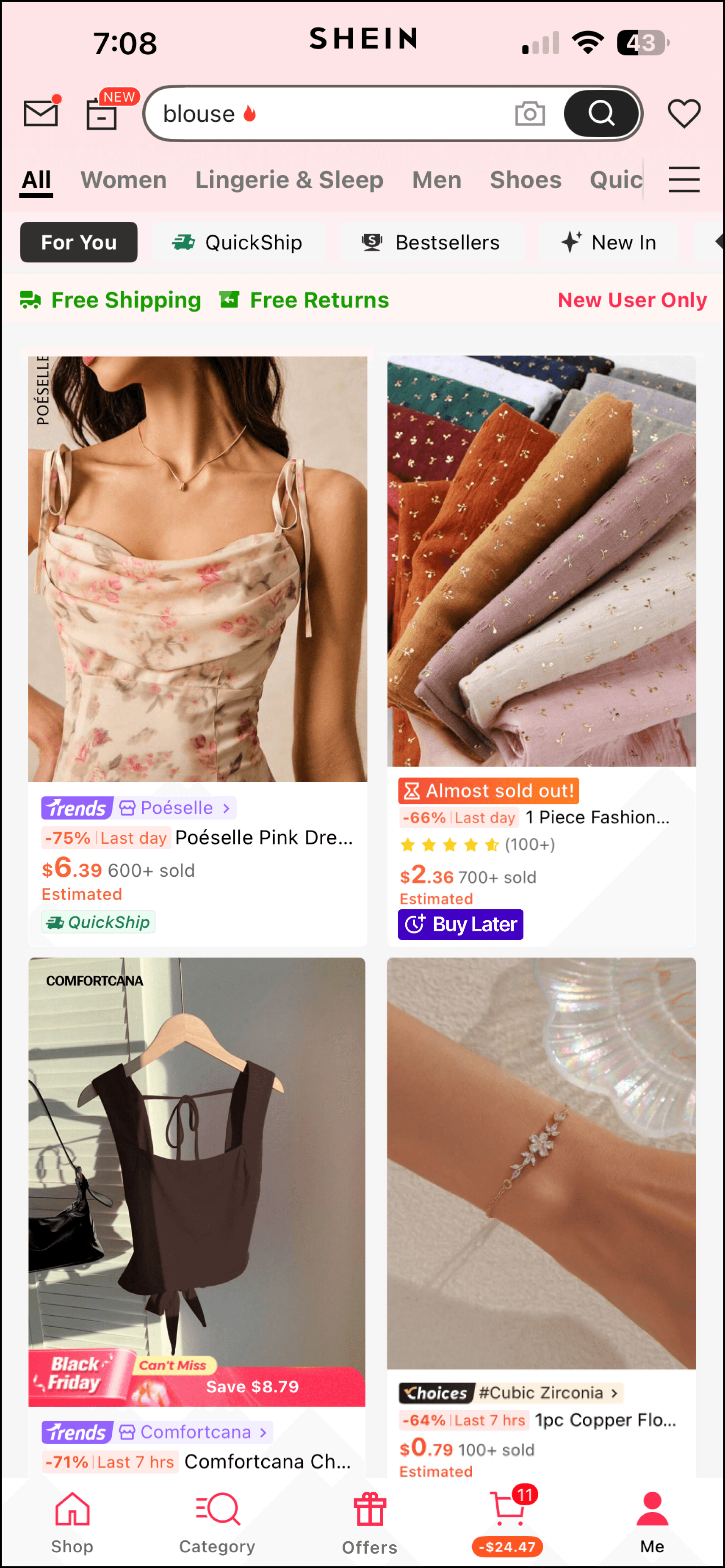
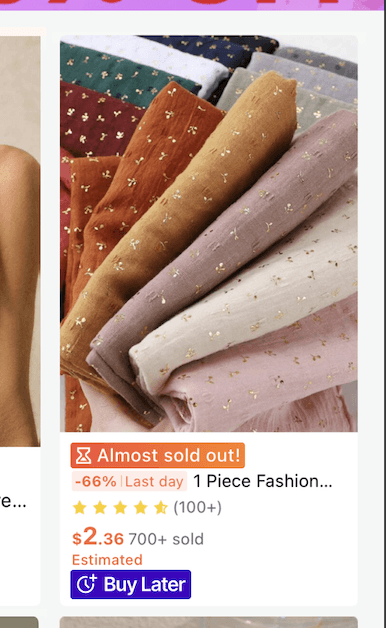
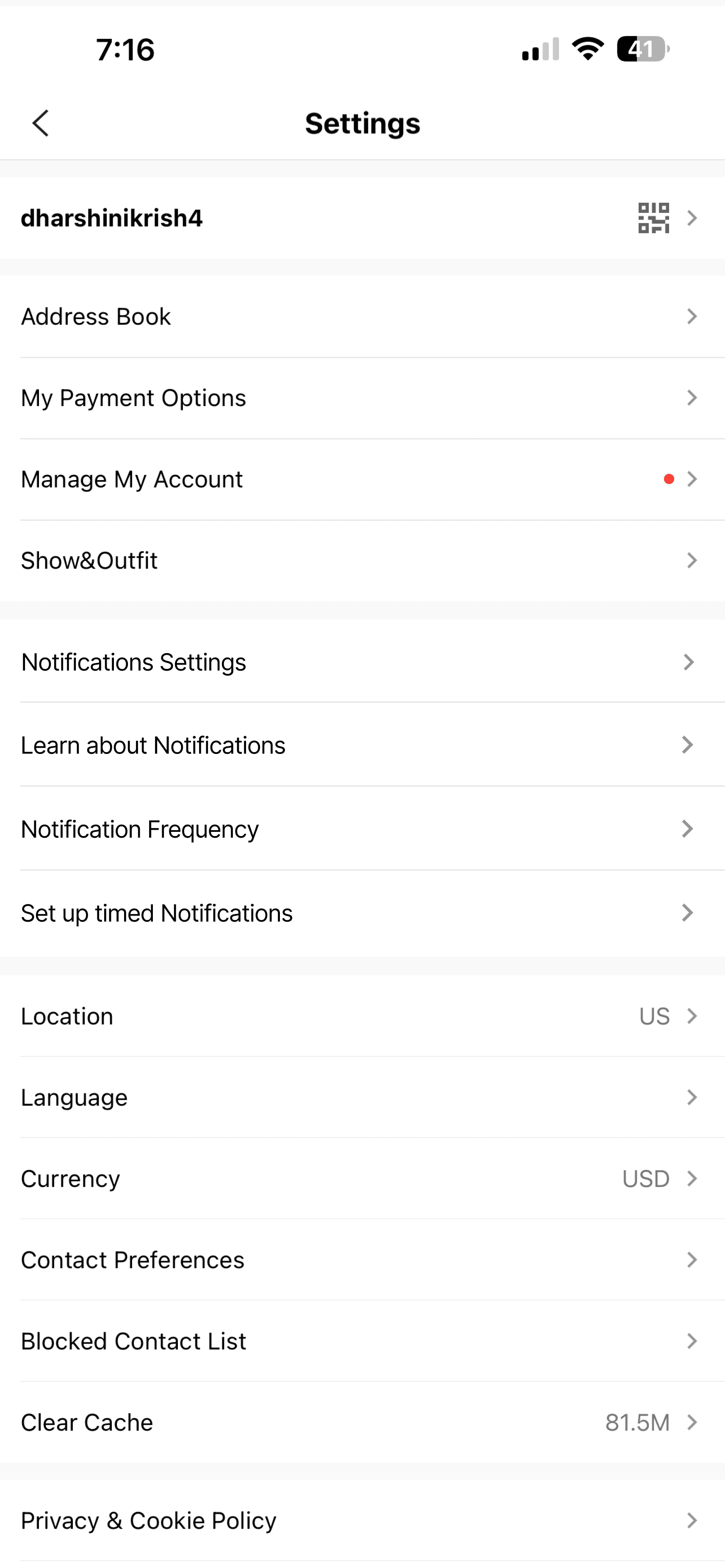
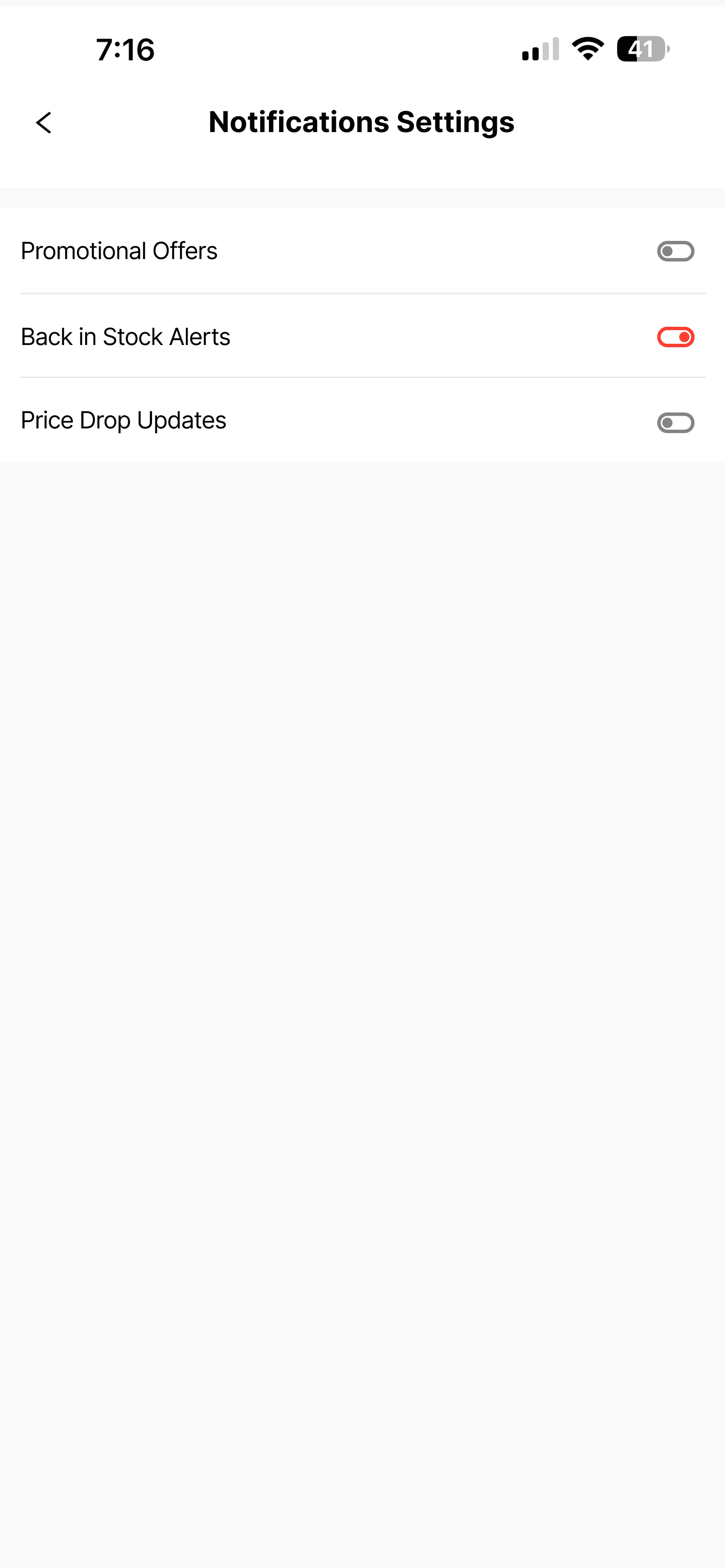
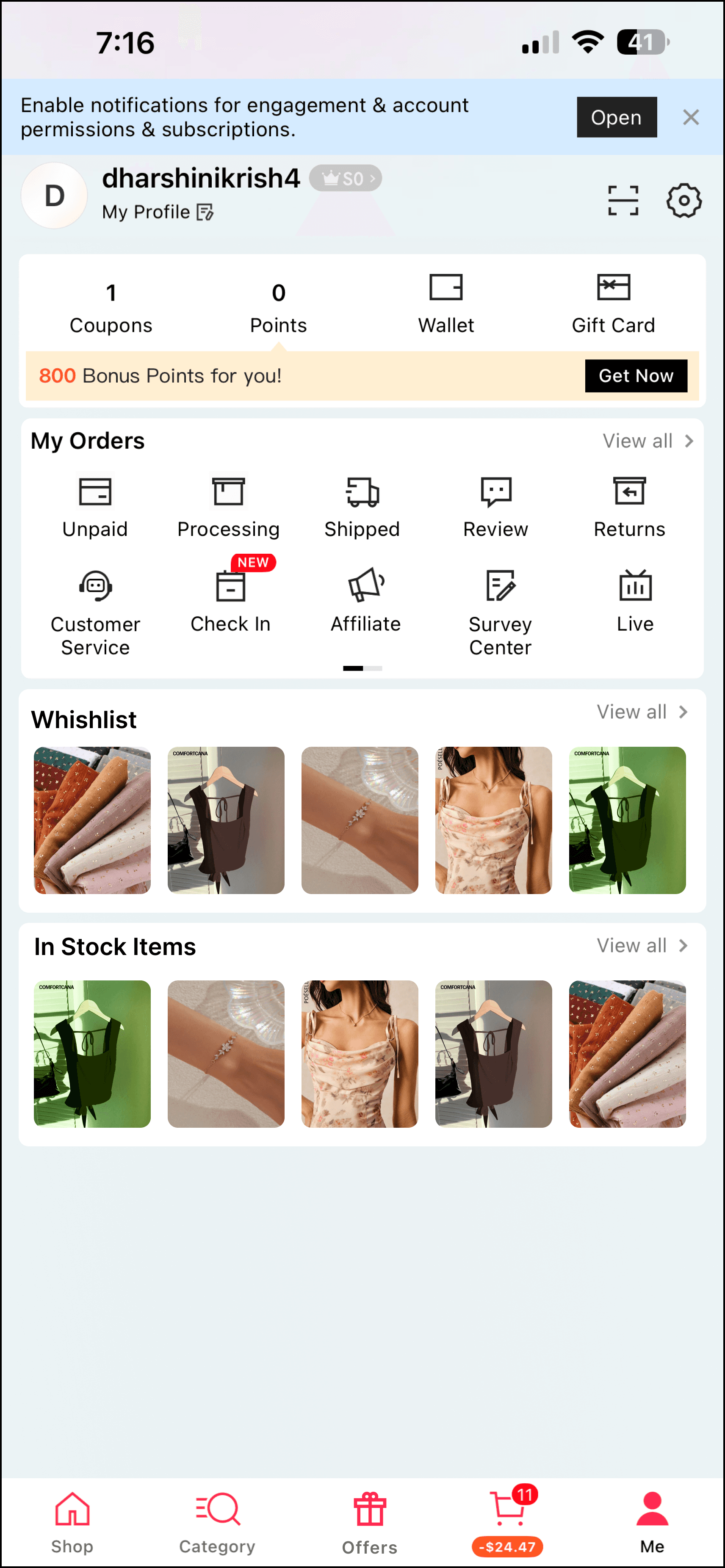
The original profile page packs spin wheels, VIP tier pressure, and gamification into a single cluttered screen. The redesign separates everything, clean profile for order tracking and wishlists, dedicated Offers page for deal-seekers, granular notification settings distinguishing promotional from transactional alerts, and an "Add to Buy Later" feature that formalizes what users were already doing on their own: adding to cart and waiting a few days to decide.
05 - TESTING
The features that scored highest treated users like adults.
Five participants. Think-aloud protocol. Ratings on a 1–5 scale per feature across all three prototypes.
The two moderate scores tell the more interesting story. Context-aware notifications and motivation tone received mixed feedback, not because they're bad ideas, but because they matter deeply to some users and not at all to others. That's not a design failure. That's the argument for opt-in.
06 - REFLECTION
Users don't want less persuasion. They want persuasion that respects them.
Every participant who said "I know the app is manipulating me" also described continuing to use the app. The awareness-behavior gap is real, and it's not closing just because users get smarter about recognizing tactics.
What does close it, at least partially, is genuine control. Not the illusion of control buried three levels deep in settings, but real customization that actually changes what the app does. And transparency that centers the user's benefit, not the business's.
What I'd do next
Longitudinal research tracking how perceptions shift over months of use. Behavioral data to test whether stated preferences match actual usage. Cross-cultural studies to validate whether these findings hold beyond Western, tech-savvy samples.
The open question
Does "Add to Buy Later" actually reduce impulsive purchasing or just add a step before the same outcome? Does a cleaner interface change behavior or do users revert to old patterns? Measuring that requires longitudinal observation, not a single session.
Transparency builds trust. Autonomy builds loyalty. Ethical persuasion leads to stronger engagement, not weaker. Users expect honesty, choice, and control. The evidence suggests ethical design isn't a constraint; it's a competitive advantage.
Interested In More Projects?
Explore additional case studies showcasing my approach to user research, interaction design, and creating meaningful experiences.

